> ## Documentation Index
> Fetch the complete documentation index at: https://guide.crypto-now.io/llms.txt
> Use this file to discover all available pages before exploring further.
# Create a payment link
> Configure a hosted checkout, pick one of four payment types, brand it, and share a link to start accepting crypto.
A **checkout** is the reusable object behind your payment links, buttons, and iFrames. Create one once, then share its link anywhere — email, chat, social, a QR code — and your customer pays in crypto on a CryptoNow-hosted page. No code required.
## Create a checkout
Go to **Payments → Checkouts** and click **Create Checkout**.
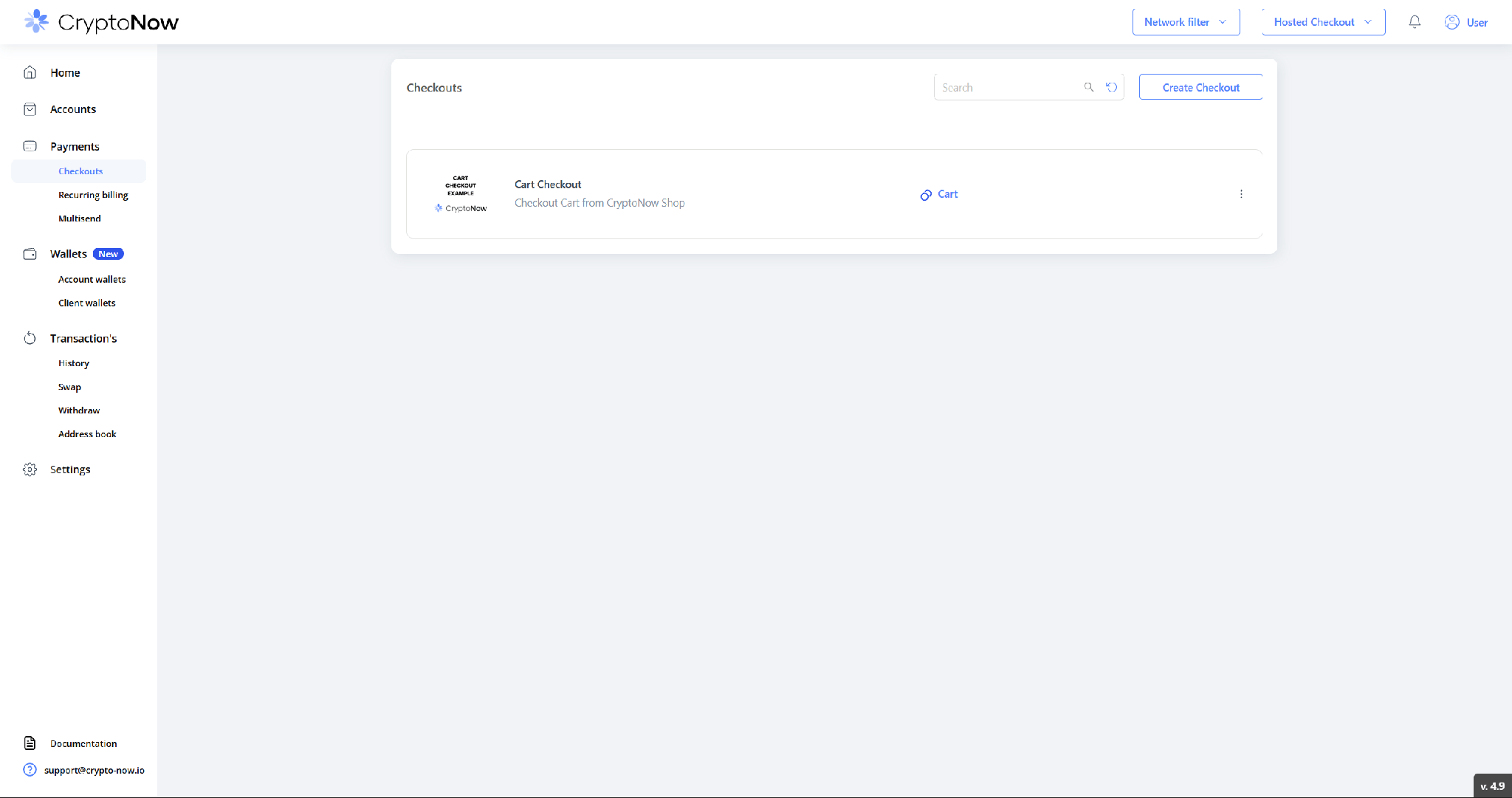 Pick one of the four payment types. This is the first decision and it shapes the rest of the form.
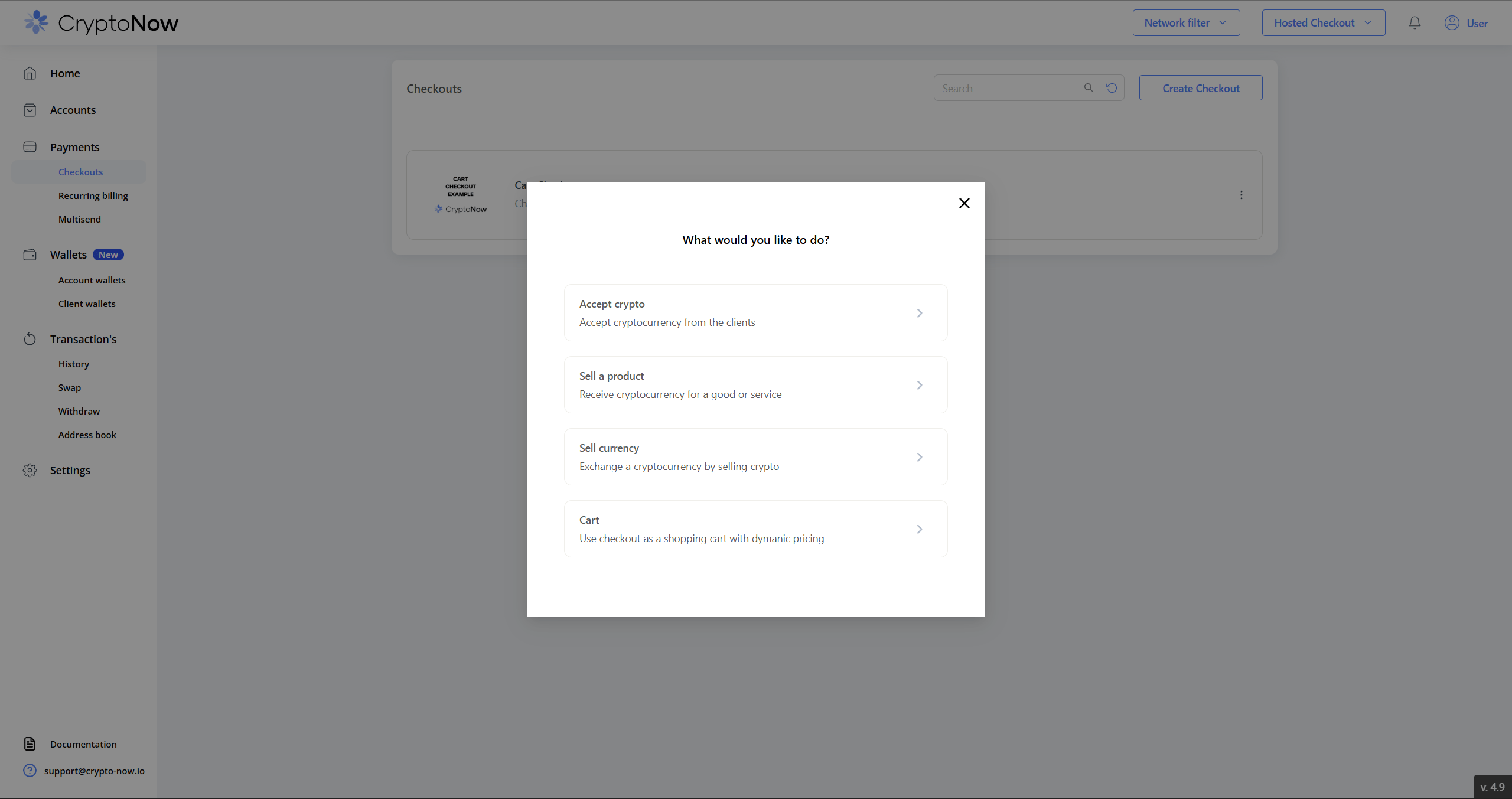 * **Accept crypto** — customer chooses any amount (deposits, top-ups, donations).
* **Sell a product** — fixed price in fiat (stores, digital goods, invoices).
* **Sell currency** — customer sends one coin and receives another (in-widget exchange).
* **Cart** — no stored amount; the total and fiat currency are passed in the link as parameters.
The steps below use **Sell a product** as the worked example.
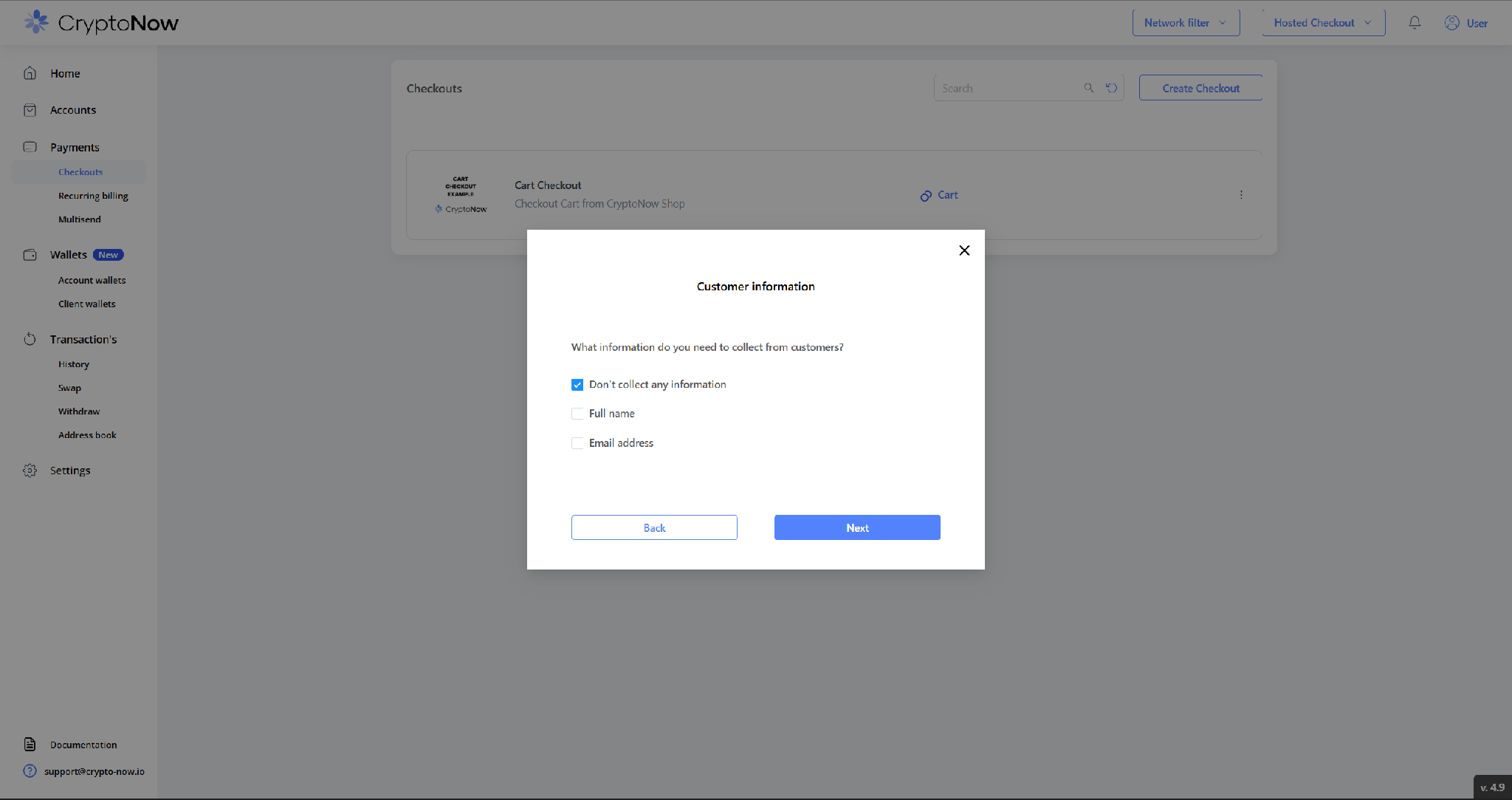
Decide whether to capture the payer's details: nothing, full name, and/or email. Click **Next**.
* **Accept crypto** — customer chooses any amount (deposits, top-ups, donations).
* **Sell a product** — fixed price in fiat (stores, digital goods, invoices).
* **Sell currency** — customer sends one coin and receives another (in-widget exchange).
* **Cart** — no stored amount; the total and fiat currency are passed in the link as parameters.
The steps below use **Sell a product** as the worked example.
Decide whether to capture the payer's details: nothing, full name, and/or email. Click **Next**.
 Set the product name, description, post-payment **Website** (where the customer lands after paying), **Payment methods** (which coins you accept), **price + fiat currency**, and **Expire time** (how long a charge stays open — 10 / 30 / 60 min). Brand it with a checkout photo, logo, background and accent colour. Then click **Create**.
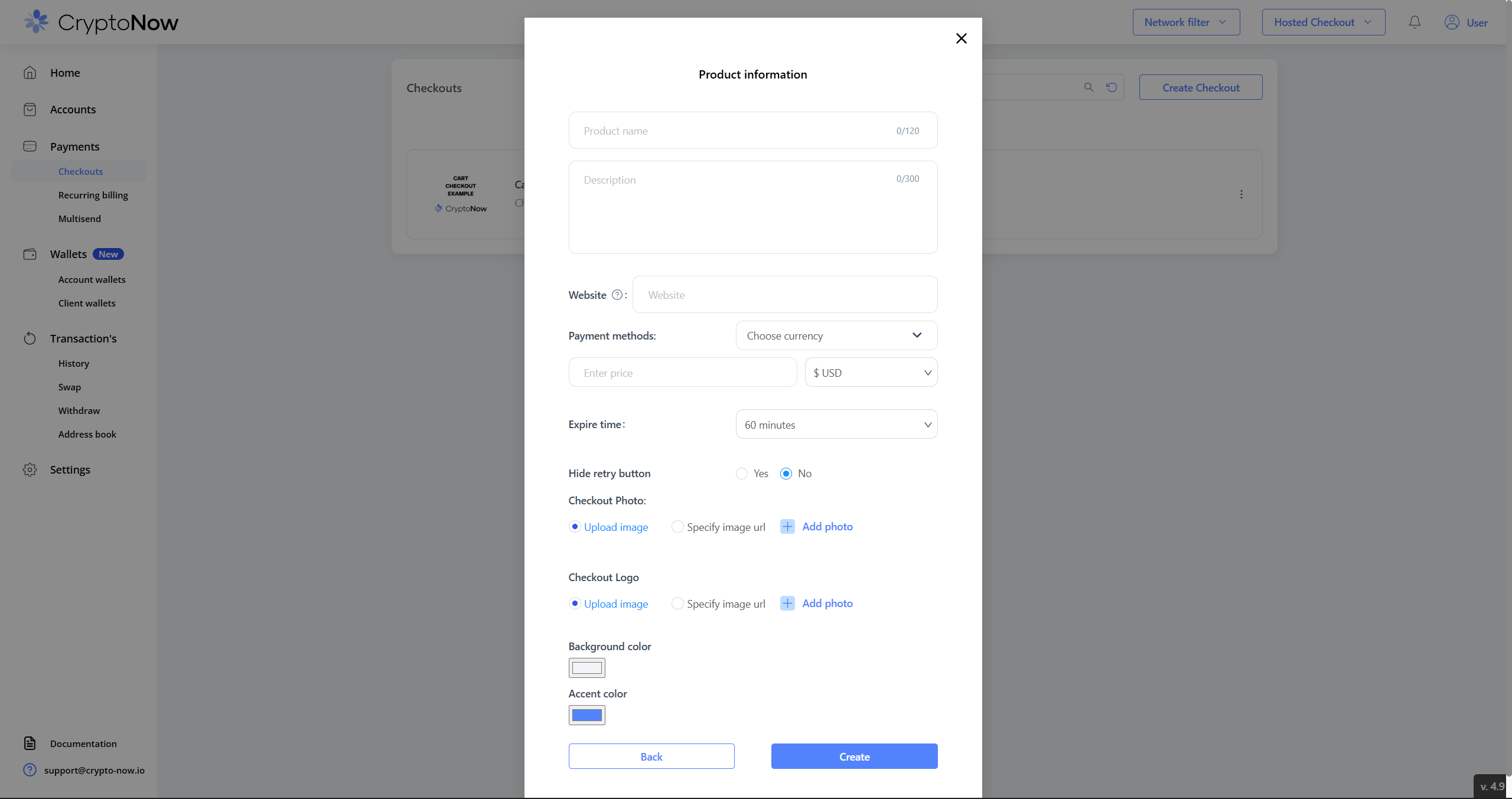
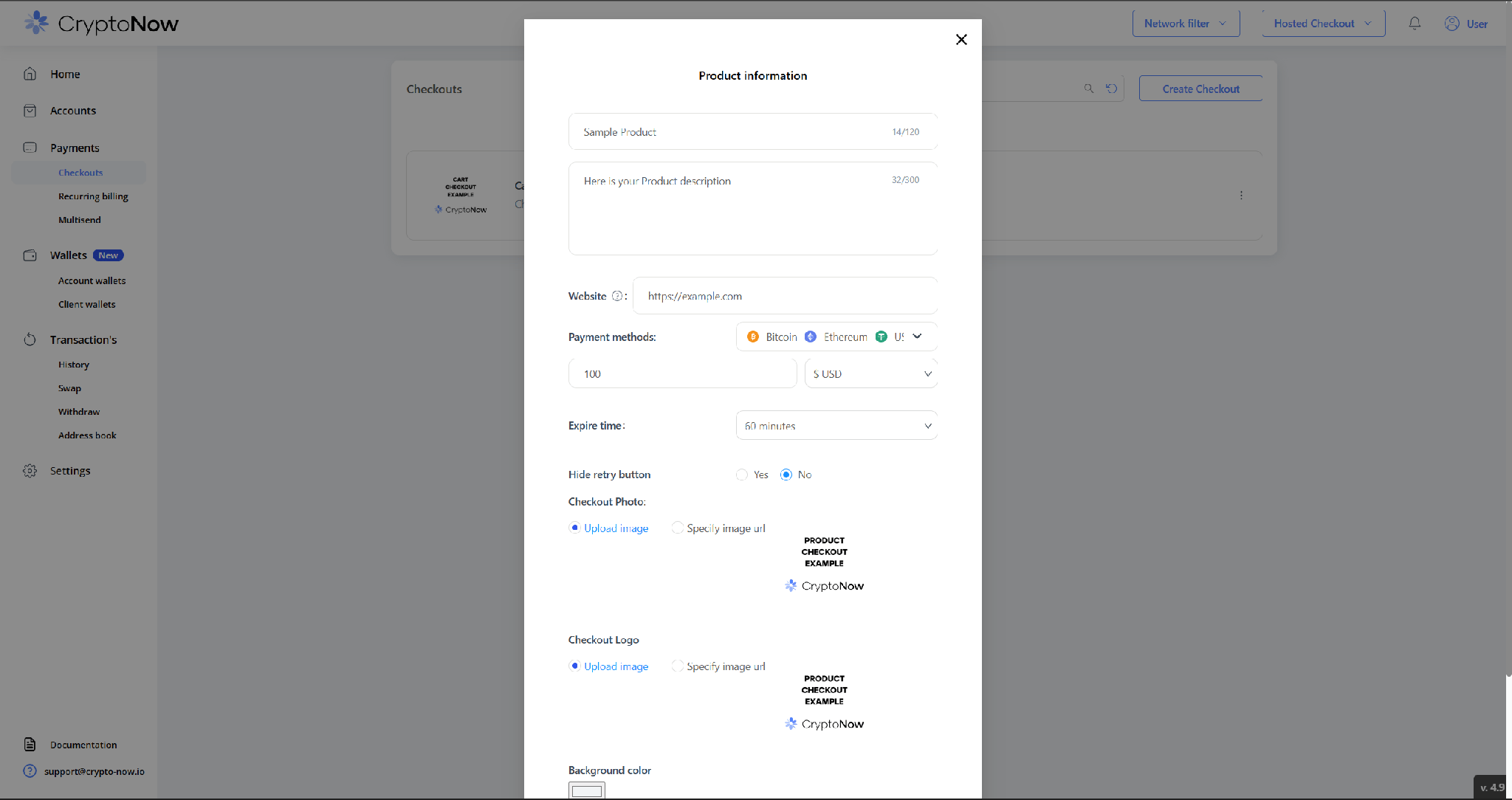 **Accept crypto** uses this same form without the price field — the customer enters any amount at pay time.
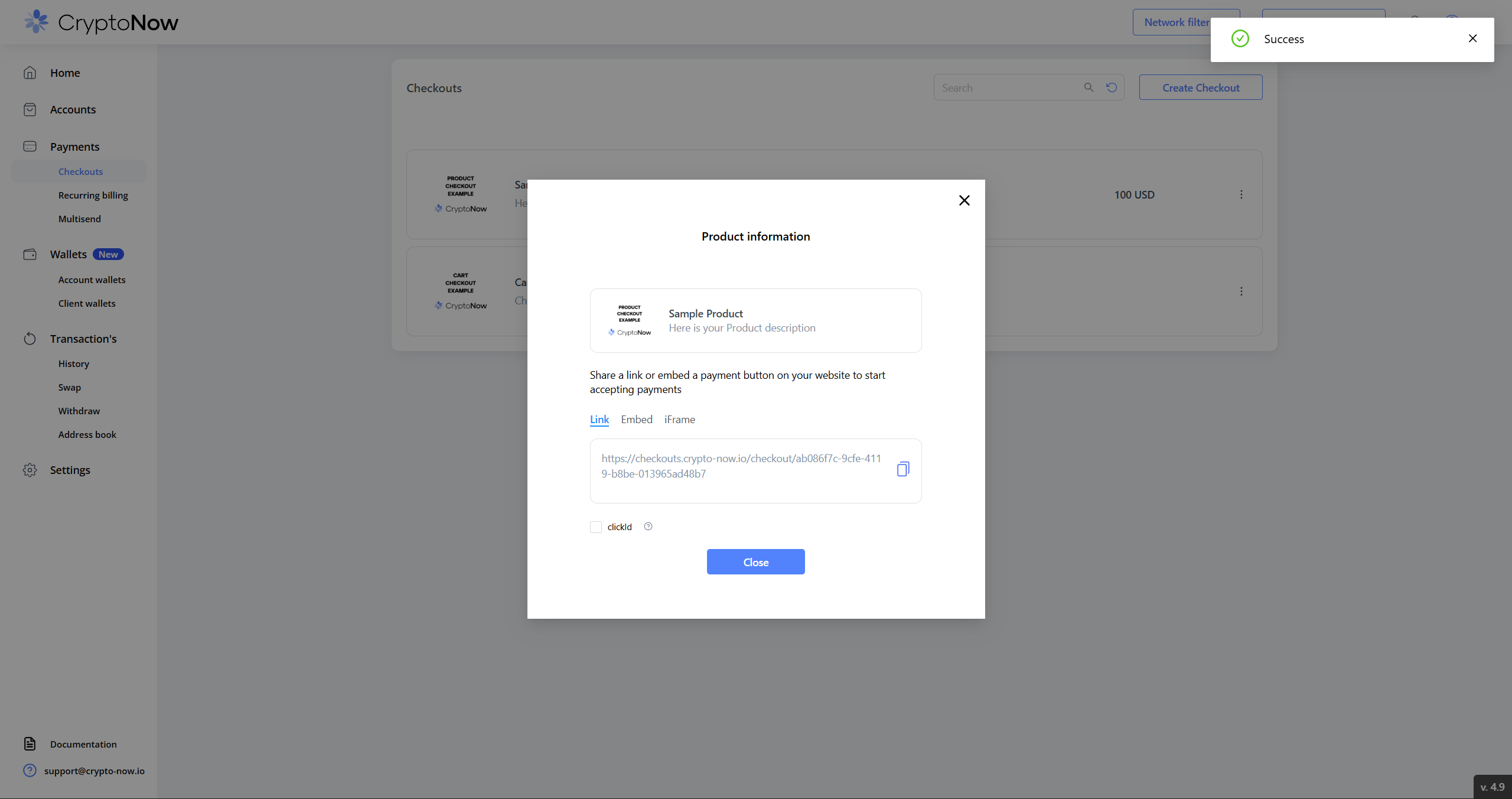
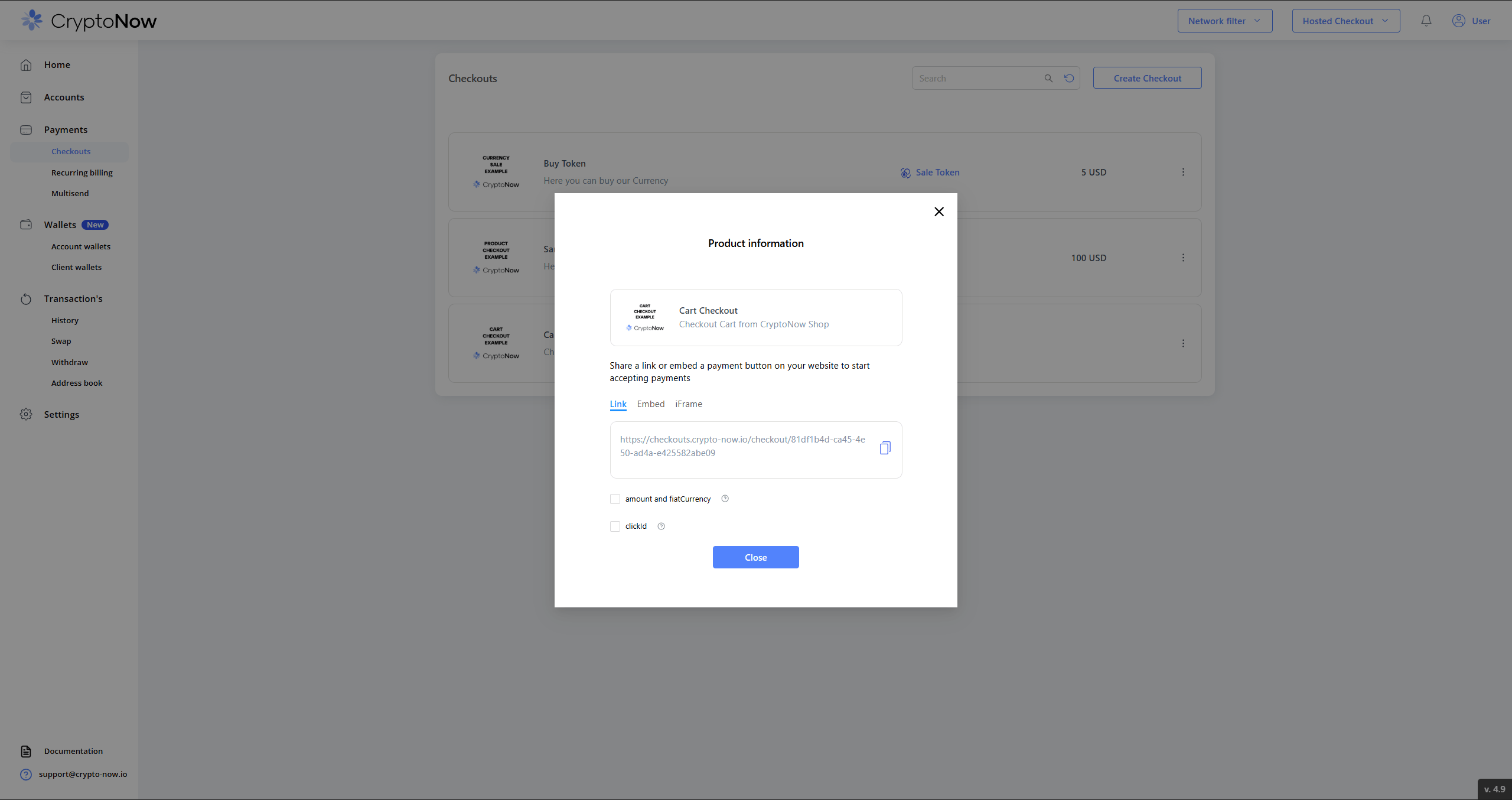
On success you get three ways to deliver the checkout — **Link**, **Embed** (button snippet), and **iFrame** — plus the **clickId** option. Copy the link and you're live.
**Accept crypto** uses this same form without the price field — the customer enters any amount at pay time.
On success you get three ways to deliver the checkout — **Link**, **Embed** (button snippet), and **iFrame** — plus the **clickId** option. Copy the link and you're live.
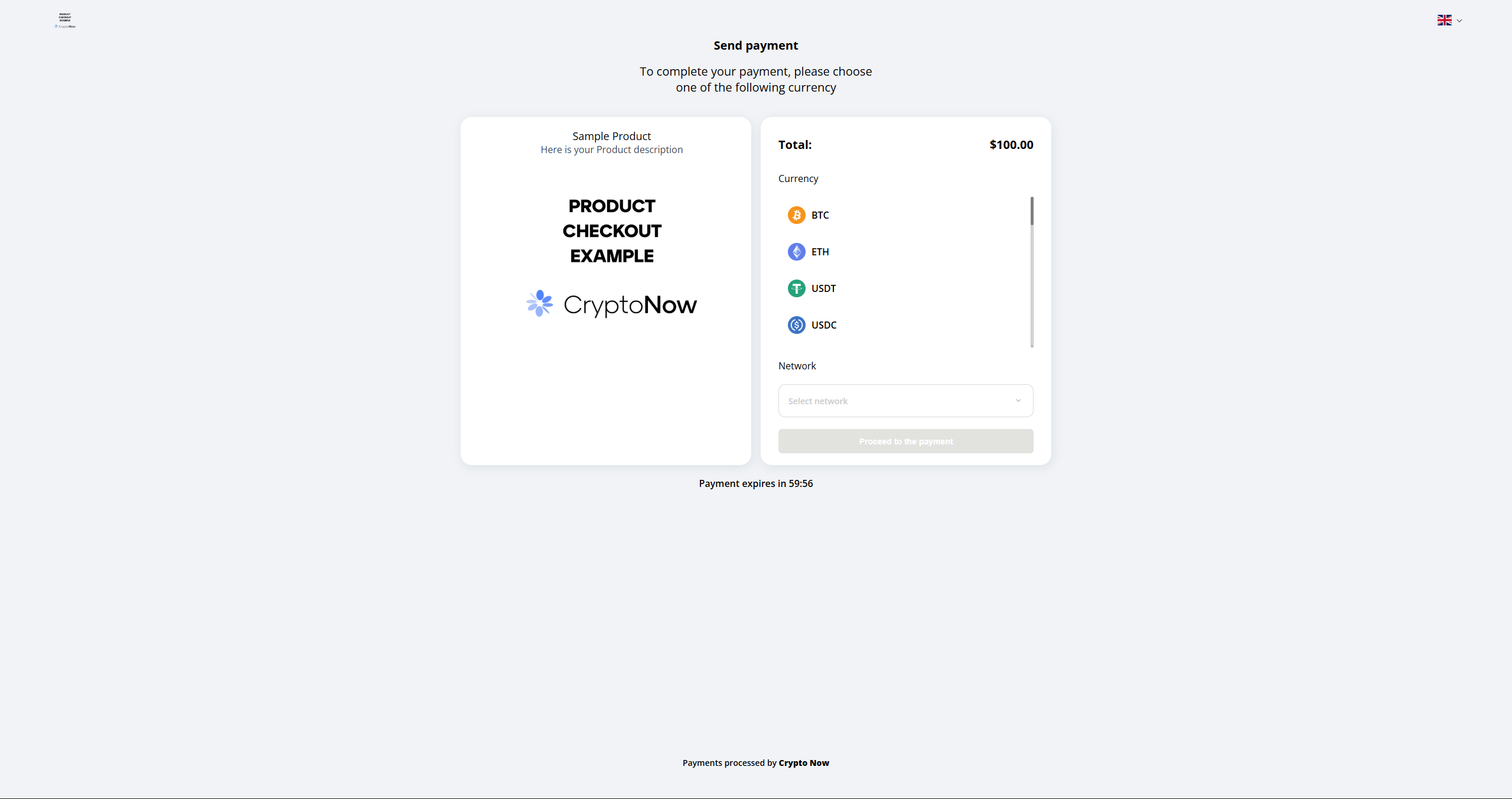
 This is what your customer sees when they open the link — your branding, the total, and the coins you accept:
 ## Track payments with clickId
Enable **clickId** on the share panel and append your own id to the link (`?clickId=...`) — an order id, customer id, or any other reference (numbers and characters). It's attached to the transaction, **searchable**, echoed back in callbacks, and returned in the API as `outsideOrderId`. This is how you reconcile an on-chain payment to a specific order or user in your CRM.
## The other checkout types
### Sell currency
The customer sends one coin and receives another. Set **Receive payment** (the coin you pay out), the **Merchant wallet** it pays from, **min / max** amounts, and **Fixed** or **Market** price.
## Track payments with clickId
Enable **clickId** on the share panel and append your own id to the link (`?clickId=...`) — an order id, customer id, or any other reference (numbers and characters). It's attached to the transaction, **searchable**, echoed back in callbacks, and returned in the API as `outsideOrderId`. This is how you reconcile an on-chain payment to a specific order or user in your CRM.
## The other checkout types
### Sell currency
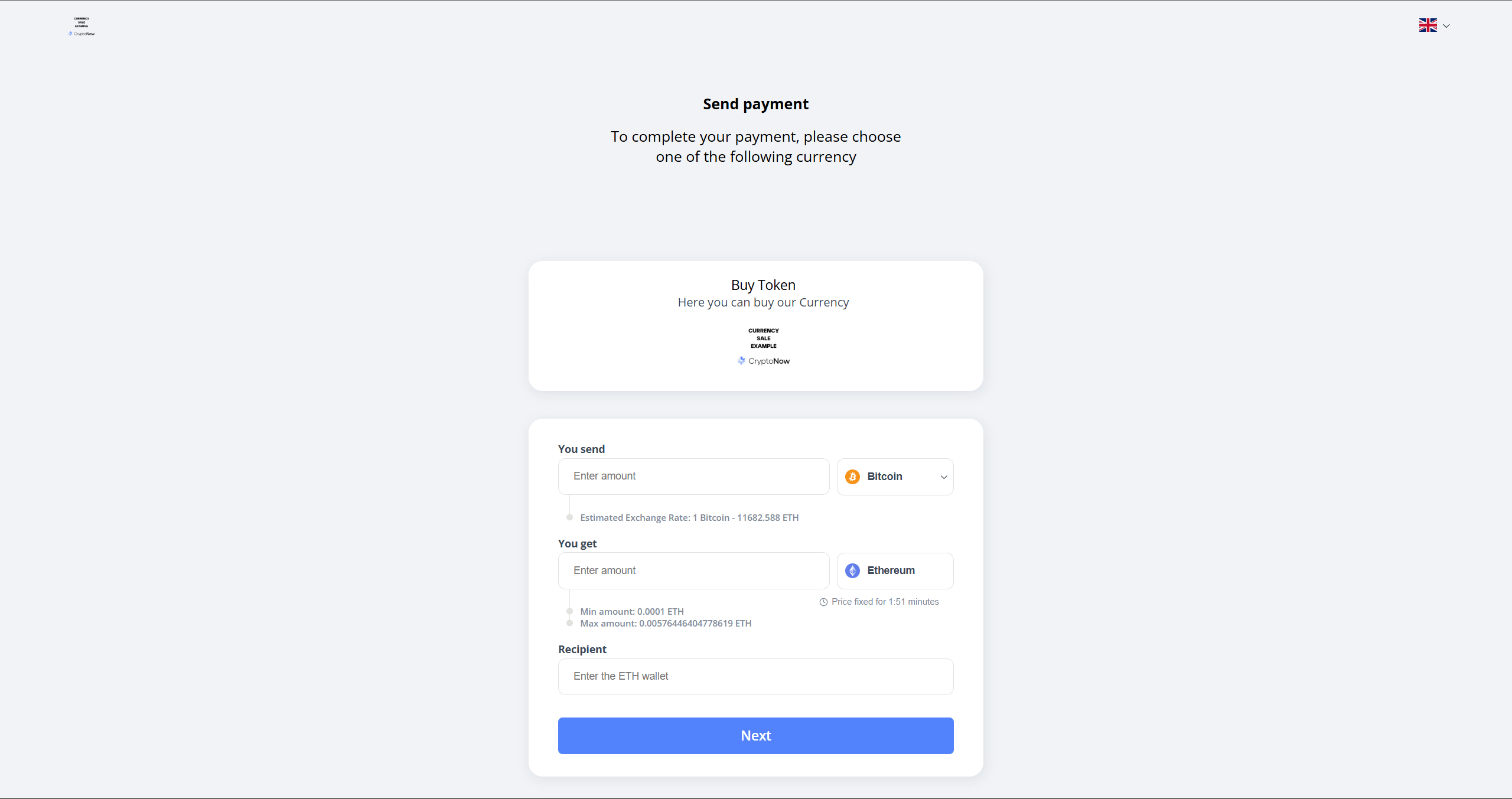
The customer sends one coin and receives another. Set **Receive payment** (the coin you pay out), the **Merchant wallet** it pays from, **min / max** amounts, and **Fixed** or **Market** price.
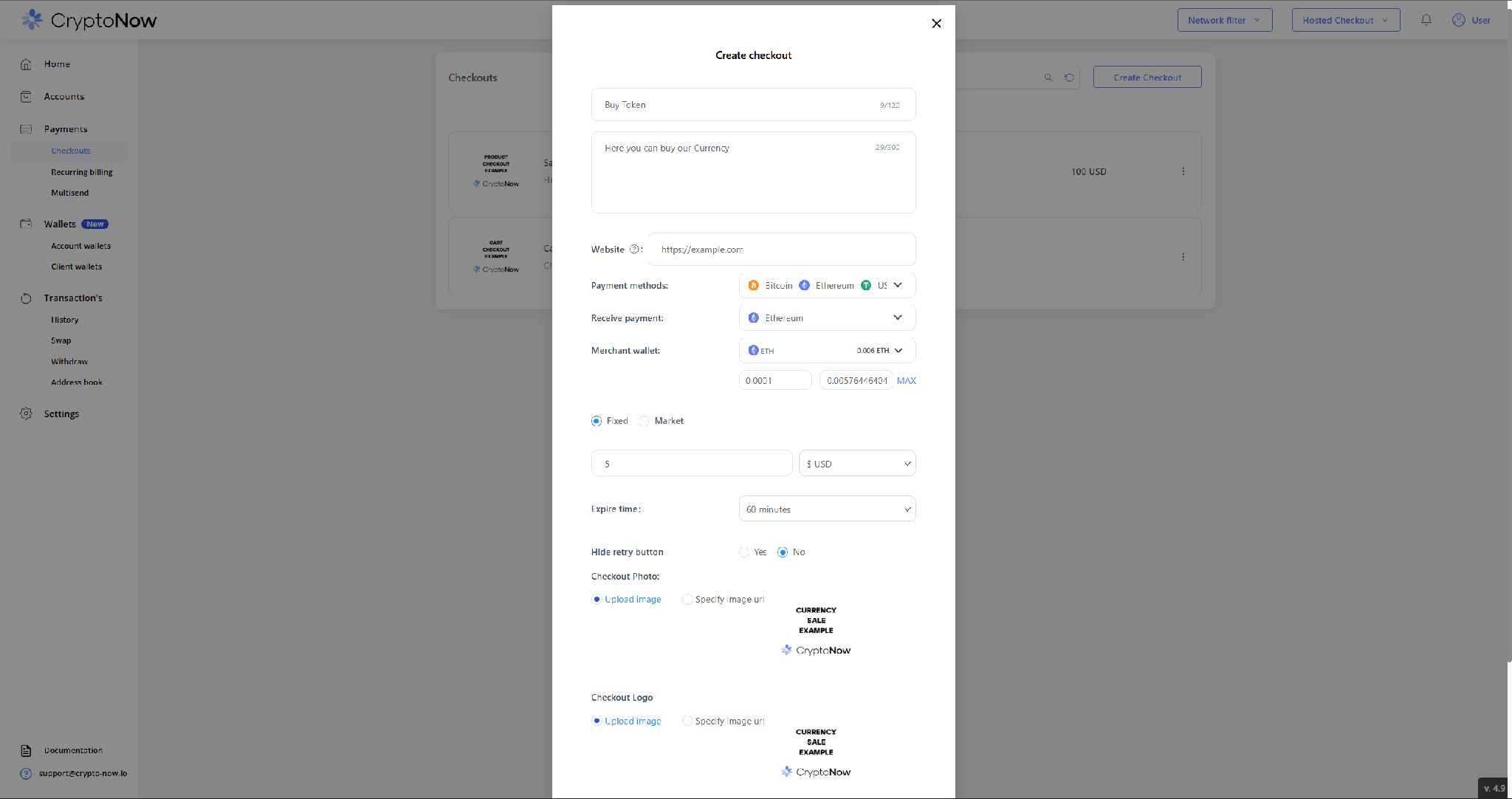 The payer enters a "you send" amount, sees the live rate, and provides a recipient wallet for the coin they receive. If they send less than quoted they get proportionally fewer tokens (but never below `min`); if more, never above `max`.
 ### Cart
A Cart checkout stores **no price** — just a fiat currency. The amount is passed in at pay time, which makes it the right choice for a shopping basket with dynamic totals.
### Cart
A Cart checkout stores **no price** — just a fiat currency. The amount is passed in at pay time, which makes it the right choice for a shopping basket with dynamic totals.
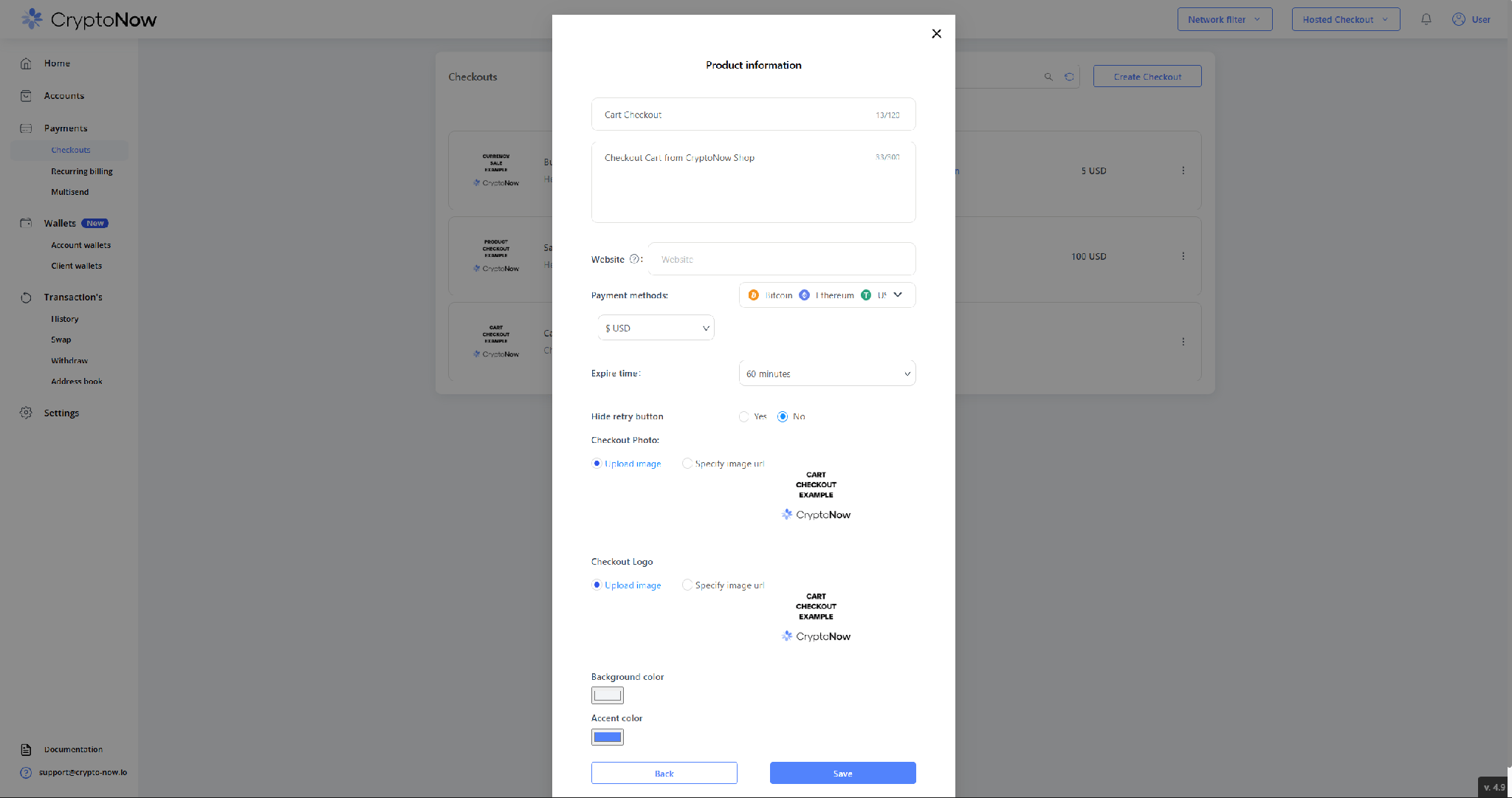 Its share panel adds an **amount and fiatCurrency** toggle — those two values travel as URL parameters on each charge, alongside the optional `clickId`.
 Need to embed the checkout on your own site instead of sharing a link? See **Embed payments on your site**.