> ## Documentation Index
> Fetch the complete documentation index at: https://guide.crypto-now.io/llms.txt
> Use this file to discover all available pages before exploring further.
# Make a withdrawal
> Send crypto out of your CryptoNow account to any external address, another internal wallet, or a saved contact — with fees, gas priority, and two-factor security.
When funds land in your account wallets, you withdraw them straight from the dashboard. CryptoNow estimates the network (miner) fee and the system fee, takes both **on top** of the amount you enter, and asks for two-factor confirmation before anything moves.
**Fees are added on top — the recipient gets exactly what you type.** Your wallet is debited the amount **plus** the miner fee **plus** the 0.5% system fee. You never have to back the fees out of the amount yourself.
## Before you start
* The wallet you're withdrawing from needs the **native gas coin** of that network. For an ERC-20 token like USDT, that means the account wallet must hold some **ETH** to pay the miner fee. (See [Set up your treasury & gas](/set-up-your-treasury-and-gas).)
* Both 2FA factors must be active: an **email code** and **Google Authenticator**. (See [Secure your account](/secure-your-account).)
## Withdraw funds
Go to **Transaction's → Withdraw** (or click **Send** on a funded wallet from Home). Your wallets that hold a balance appear here.
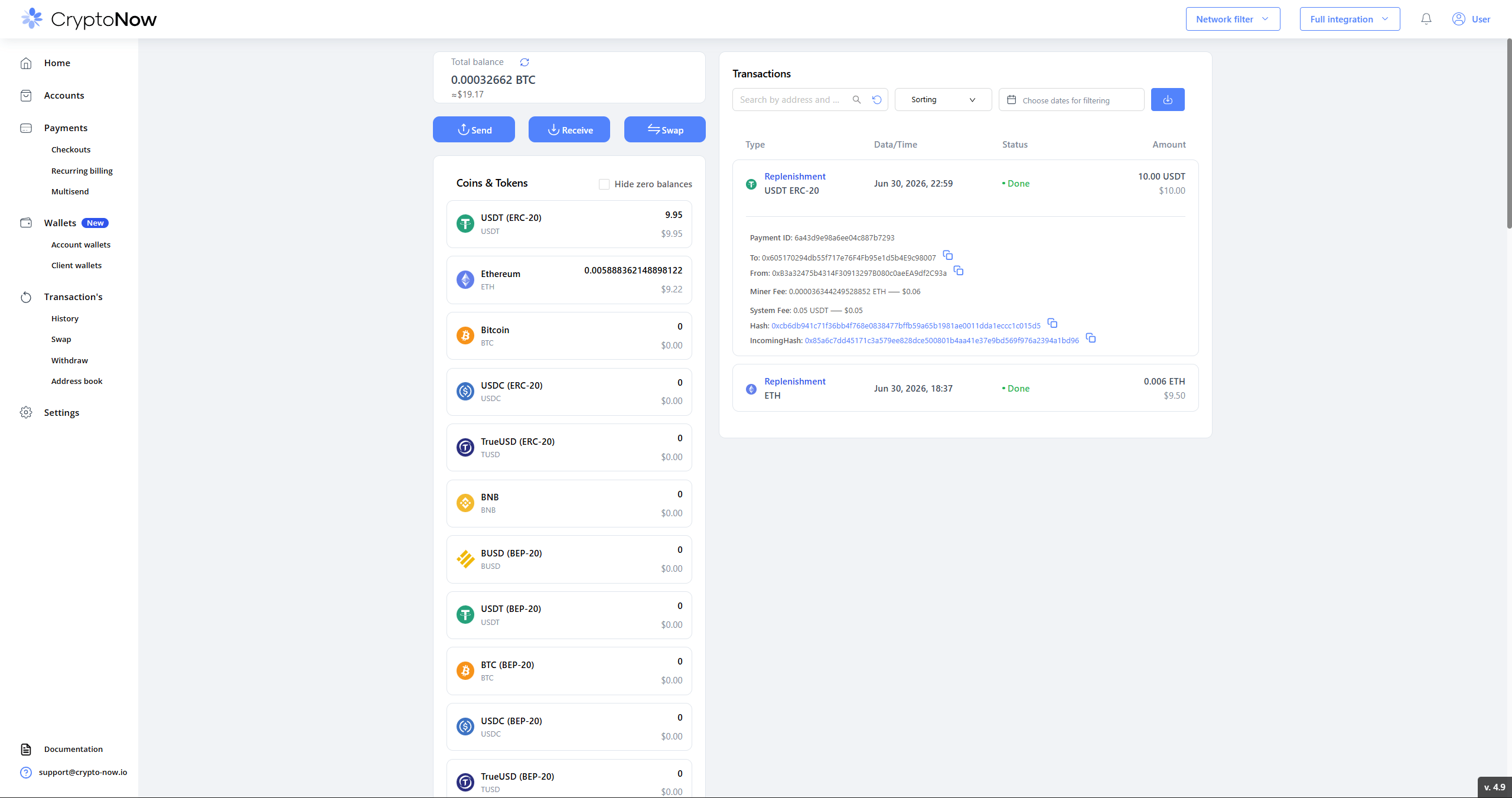 In the **Withdraw** dialog:
* **Currency** — the coin/token to send (only currencies with funds are listed).
* **Wallet address** — the source account wallet. The line beneath it shows the native-gas balance available to pay the miner fee (e.g. `ETH: 0.0058… — $9.22`).
* **Sent to** — choose **External wallet** (paste any address), **Internal wallet** (move between your own wallets), or **Address Book** (a saved contact).
* **Amount** — type a figure or hit **MAX**. The **Minimum** is per-coin and small (here `$0.01`) — there is no flat minimum.
* **Gas priority** — **Low / Normal / Fast**. Faster confirmation costs more miner fee.
* **Exchange rate in USD** — a helper to size the amount in dollars.
The dialog shows the running **Total** as *Amount + Miner Fee + System Fee*.
In the **Withdraw** dialog:
* **Currency** — the coin/token to send (only currencies with funds are listed).
* **Wallet address** — the source account wallet. The line beneath it shows the native-gas balance available to pay the miner fee (e.g. `ETH: 0.0058… — $9.22`).
* **Sent to** — choose **External wallet** (paste any address), **Internal wallet** (move between your own wallets), or **Address Book** (a saved contact).
* **Amount** — type a figure or hit **MAX**. The **Minimum** is per-coin and small (here `$0.01`) — there is no flat minimum.
* **Gas priority** — **Low / Normal / Fast**. Faster confirmation costs more miner fee.
* **Exchange rate in USD** — a helper to size the amount in dollars.
The dialog shows the running **Total** as *Amount + Miner Fee + System Fee*.
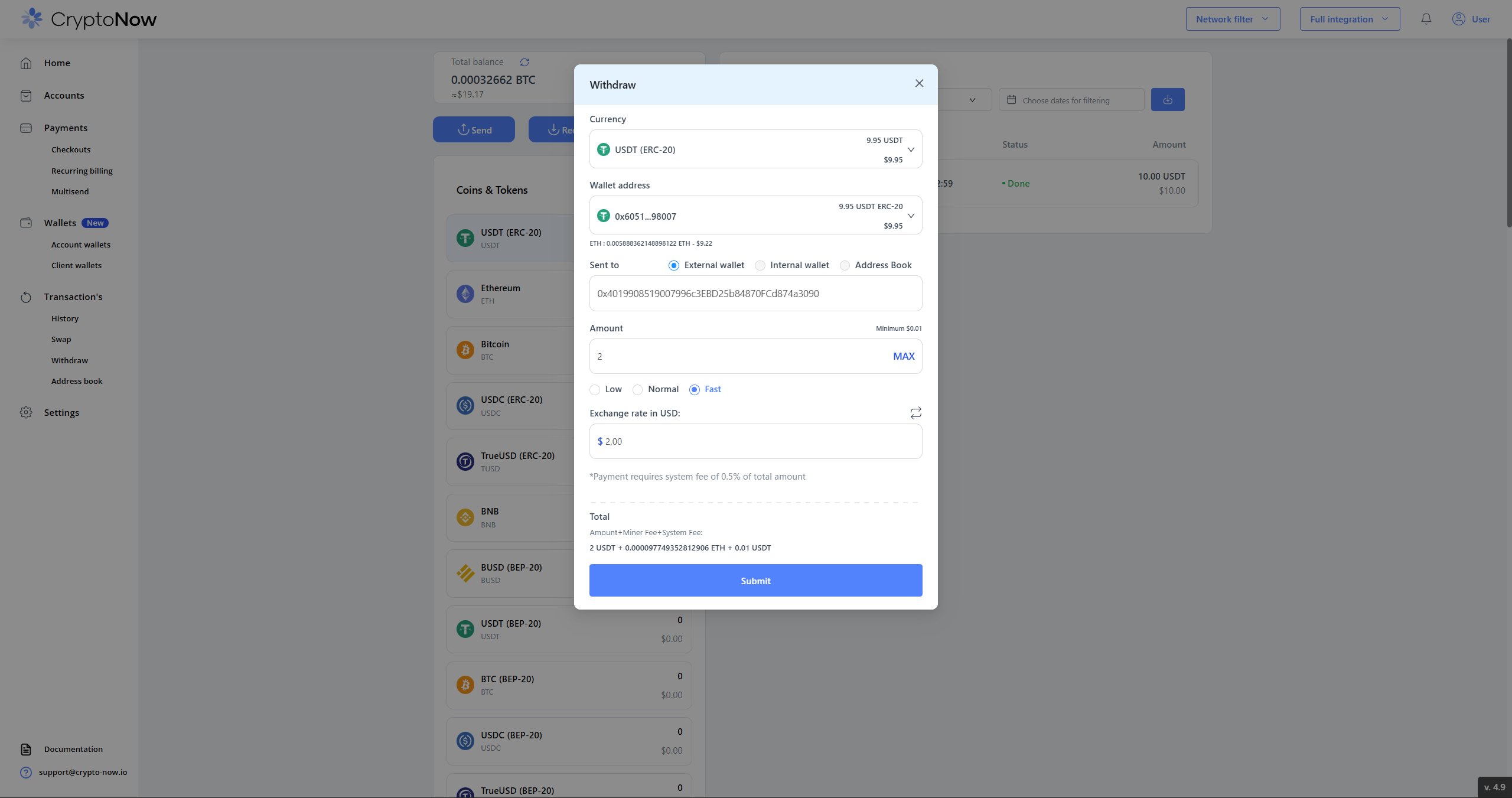 A **0.5% system fee** applies to withdrawals — the dialog states this directly. On a 2 USDT withdrawal that's 0.01 USDT.
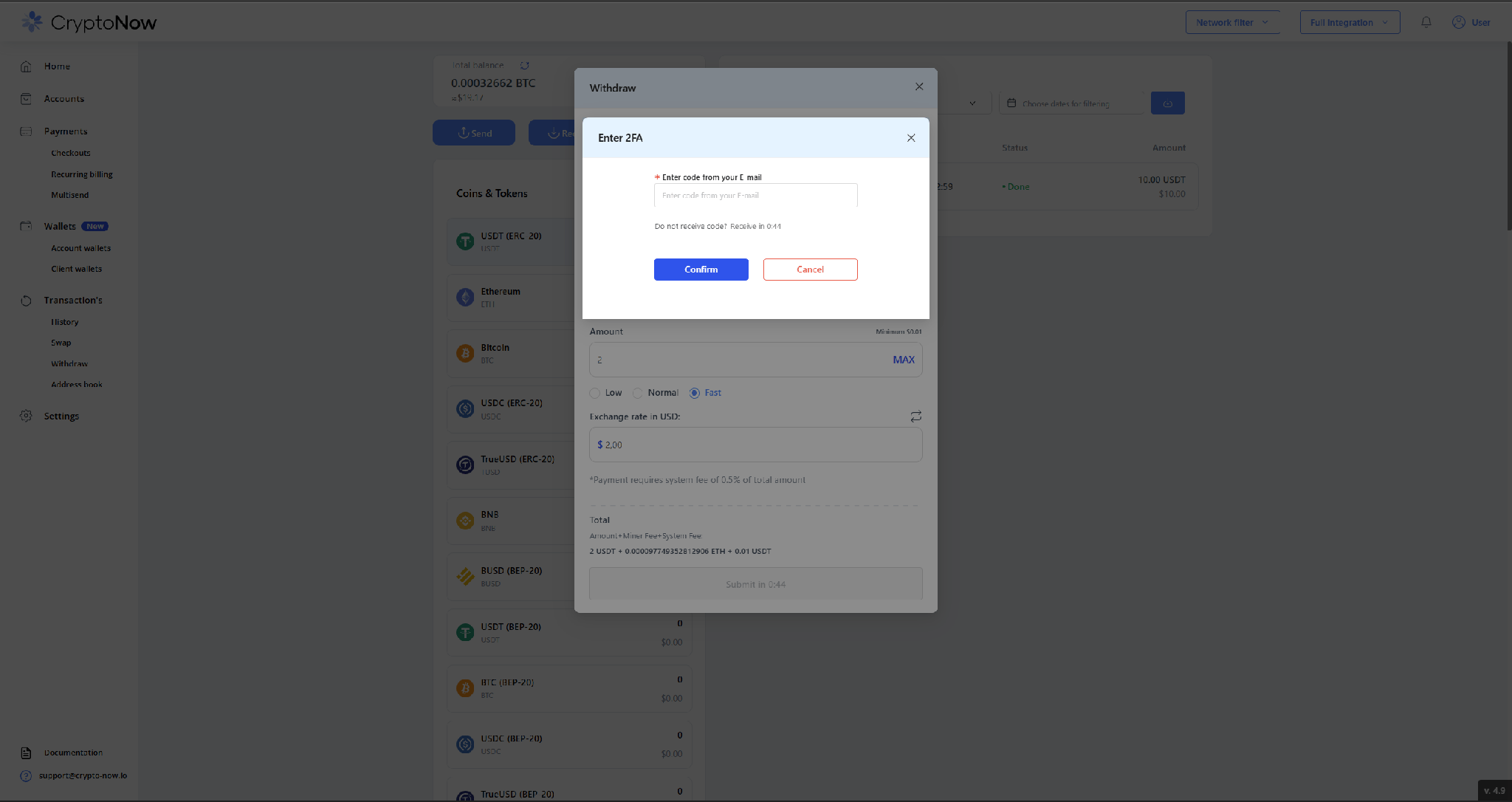
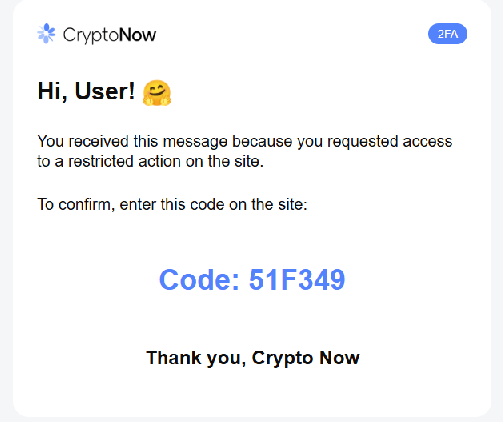
Press **Submit**. CryptoNow emails a one-time code — enter it and click **Confirm**.
A **0.5% system fee** applies to withdrawals — the dialog states this directly. On a 2 USDT withdrawal that's 0.01 USDT.
Press **Submit**. CryptoNow emails a one-time code — enter it and click **Confirm**.
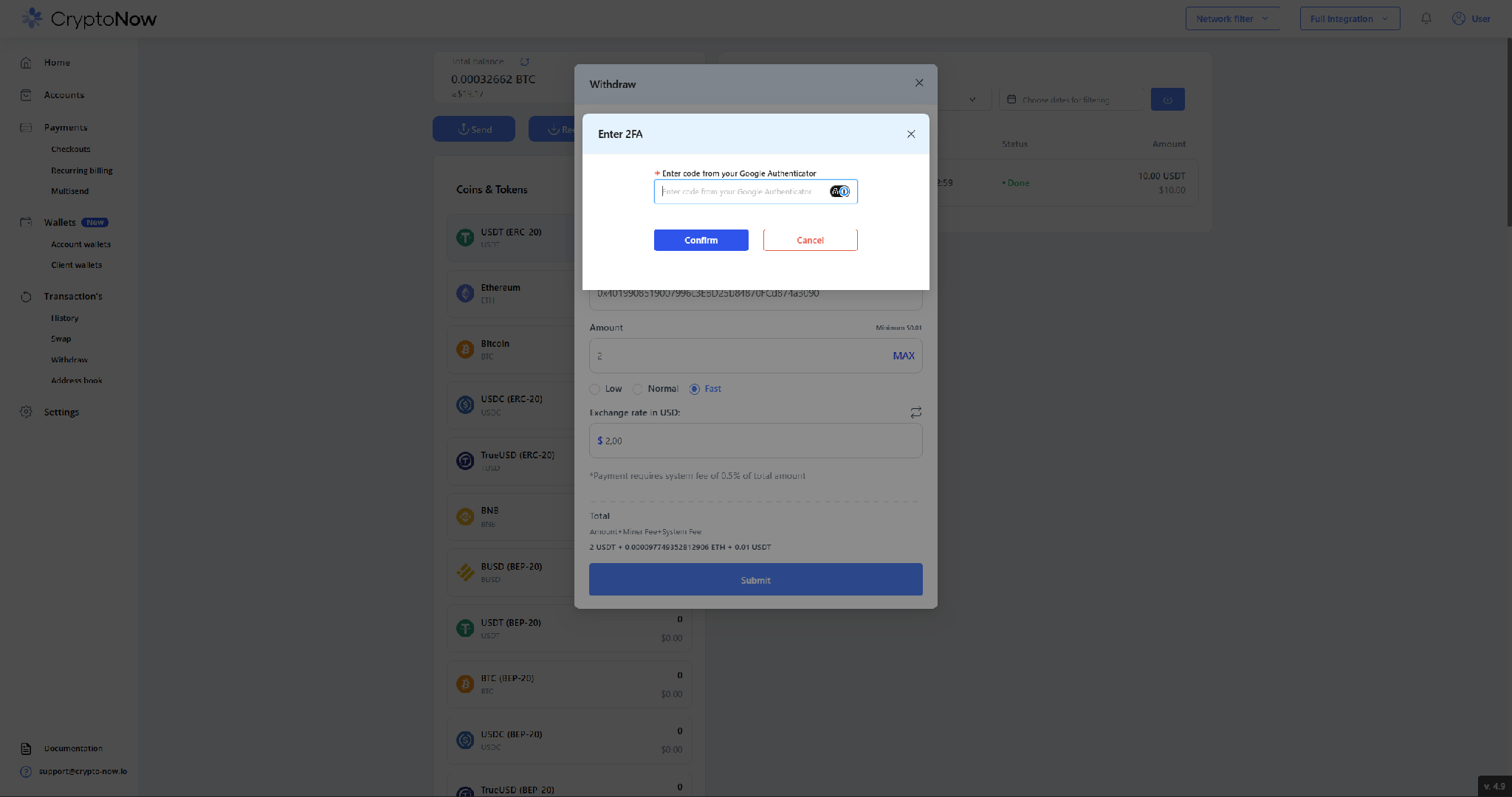
 Then enter the current code from **Google Authenticator** and click **Confirm**. Withdrawals require **both** factors.
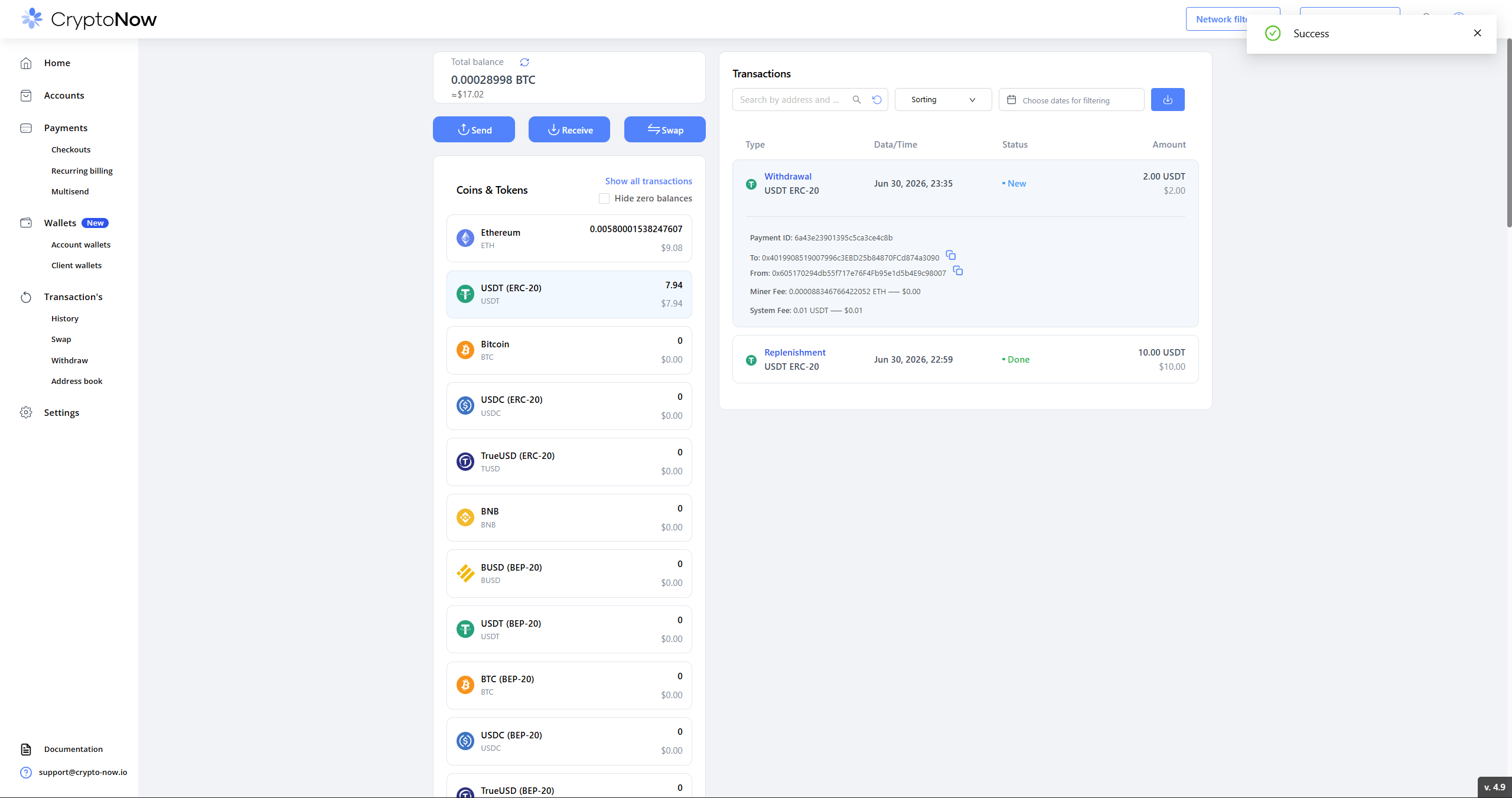
 You'll see a **Success** confirmation, and the **Withdrawal** appears in your transaction list with its hashes and the exact miner and system fees. The wallet balance drops by the amount plus the system fee; the miner fee is paid in the network's native coin.
 ## Where the fees come from
| Fee | Paid in | Taken from |
| ----------------------- | ------------------------------------------ | ------------------------- |
| **Miner (network) fee** | the network's native coin (ETH, BNB, TRX…) | the source account wallet |
| **System fee (0.5%)** | the coin being withdrawn | the source account wallet |
The **gas-payer toggle** in your account settings ("Miner Fee for withdrawal / replenishment pays…") governs **client-wallet** flows — replenishment sweeps and client-wallet withdrawals. An **account-wallet** send like this one always draws its miner fee from the account wallet itself, so keep a little native gas there.
## Worked example
Withdrawing **2 USDT** from a 9.95 USDT wallet:
* Recipient receives exactly **2 USDT**.
* **System fee:** 0.01 USDT (0.5% of 2).
* **Miner fee:** \~0.0000883 ETH, paid from the account wallet's ETH.
* New USDT balance: **7.94** (9.95 − 2 − 0.01).
## Where the fees come from
| Fee | Paid in | Taken from |
| ----------------------- | ------------------------------------------ | ------------------------- |
| **Miner (network) fee** | the network's native coin (ETH, BNB, TRX…) | the source account wallet |
| **System fee (0.5%)** | the coin being withdrawn | the source account wallet |
The **gas-payer toggle** in your account settings ("Miner Fee for withdrawal / replenishment pays…") governs **client-wallet** flows — replenishment sweeps and client-wallet withdrawals. An **account-wallet** send like this one always draws its miner fee from the account wallet itself, so keep a little native gas there.
## Worked example
Withdrawing **2 USDT** from a 9.95 USDT wallet:
* Recipient receives exactly **2 USDT**.
* **System fee:** 0.01 USDT (0.5% of 2).
* **Miner fee:** \~0.0000883 ETH, paid from the account wallet's ETH.
* New USDT balance: **7.94** (9.95 − 2 − 0.01).