> ## Documentation Index
> Fetch the complete documentation index at: https://guide.crypto-now.io/llms.txt
> Use this file to discover all available pages before exploring further.
# Recover a wrongly-sent token
> When someone sends an unsupported token to one of your client wallets, you can still get it out — by exporting that wallet's private key and moving the token from an external wallet you control.
CryptoNow automatically credits and sweeps the tokens it supports. If a client sends a **token CryptoNow doesn't recognise** (an obscure ERC-20, an LP token, the wrong network's asset) to one of your static client wallets, it won't auto-credit — it simply sits at that address on-chain, untouched.
Because **you hold the keys to every wallet**, nothing is lost. You export the client wallet's private key, import it into any self-custody wallet, and send the token wherever you want.
Exporting a private key gives **full control of that wallet** to anyone who holds it. Treat this as a break-glass recovery: do it deliberately, never paste the key anywhere untrusted, and consider the wallet's key "spent" afterwards.
**The wallet needs native gas to send the token out.** A client wallet usually keeps a little ETH/BNB/etc. from earlier sweeps. If it's empty, send a small amount of the network's native coin to the wallet address first.
## Recover the token
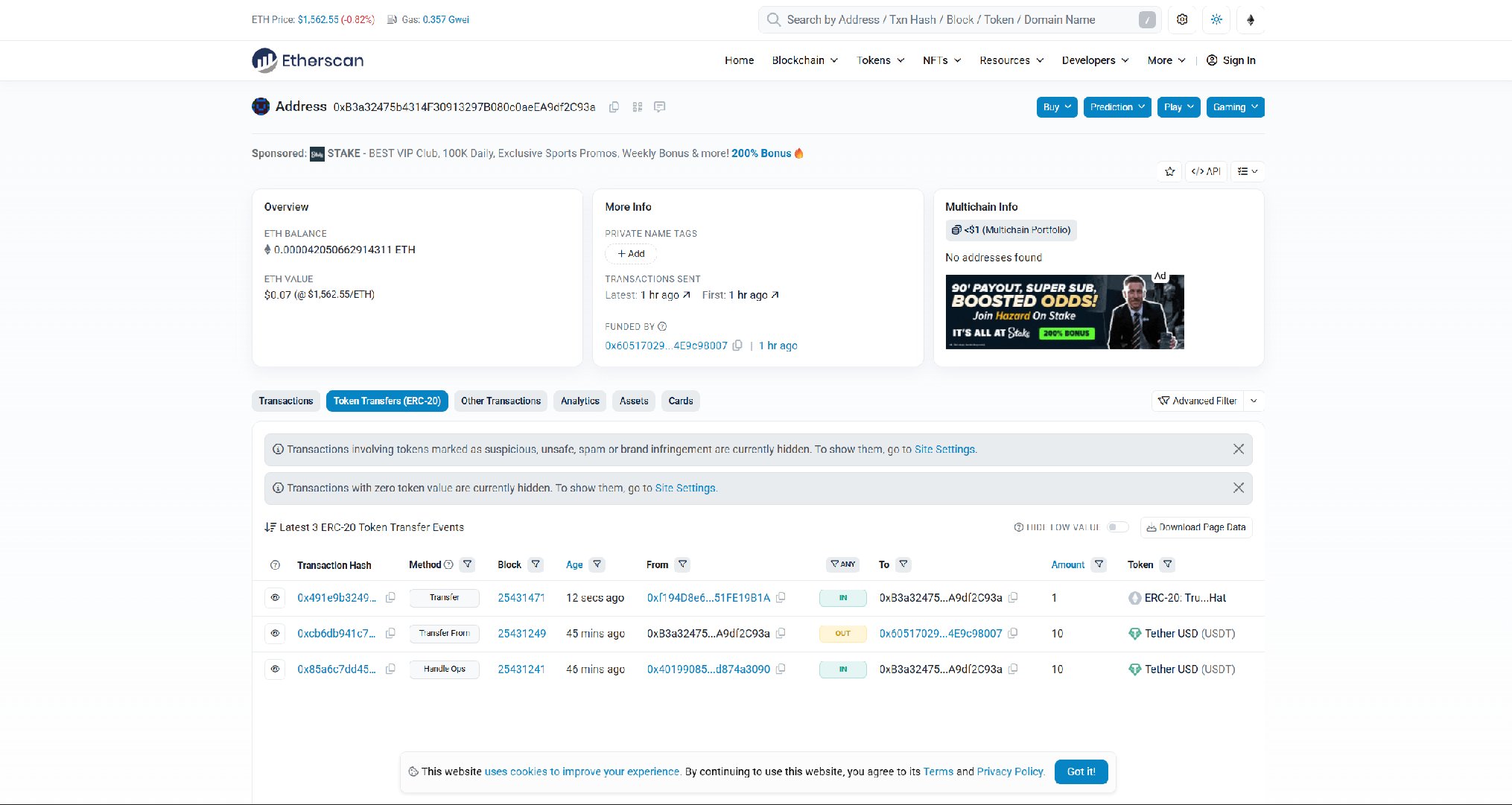
Paste the client wallet address into a block explorer (Etherscan for EVM). You'll see the incoming token transfer that never got swept.
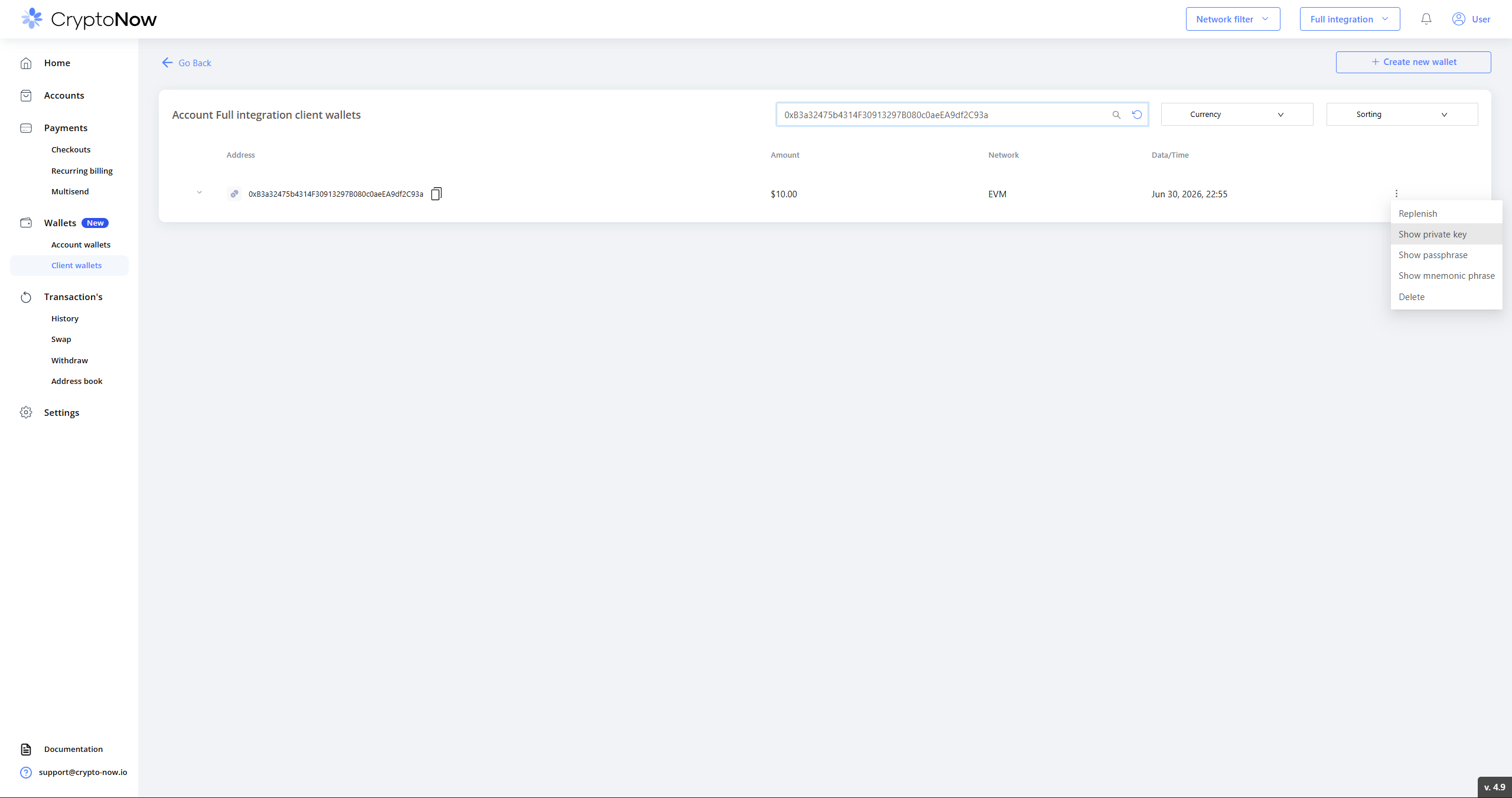
 In CryptoNow, go to **Wallets → Client wallets**, search for the wallet by address, open the **⋮** menu and choose **Show private key**.
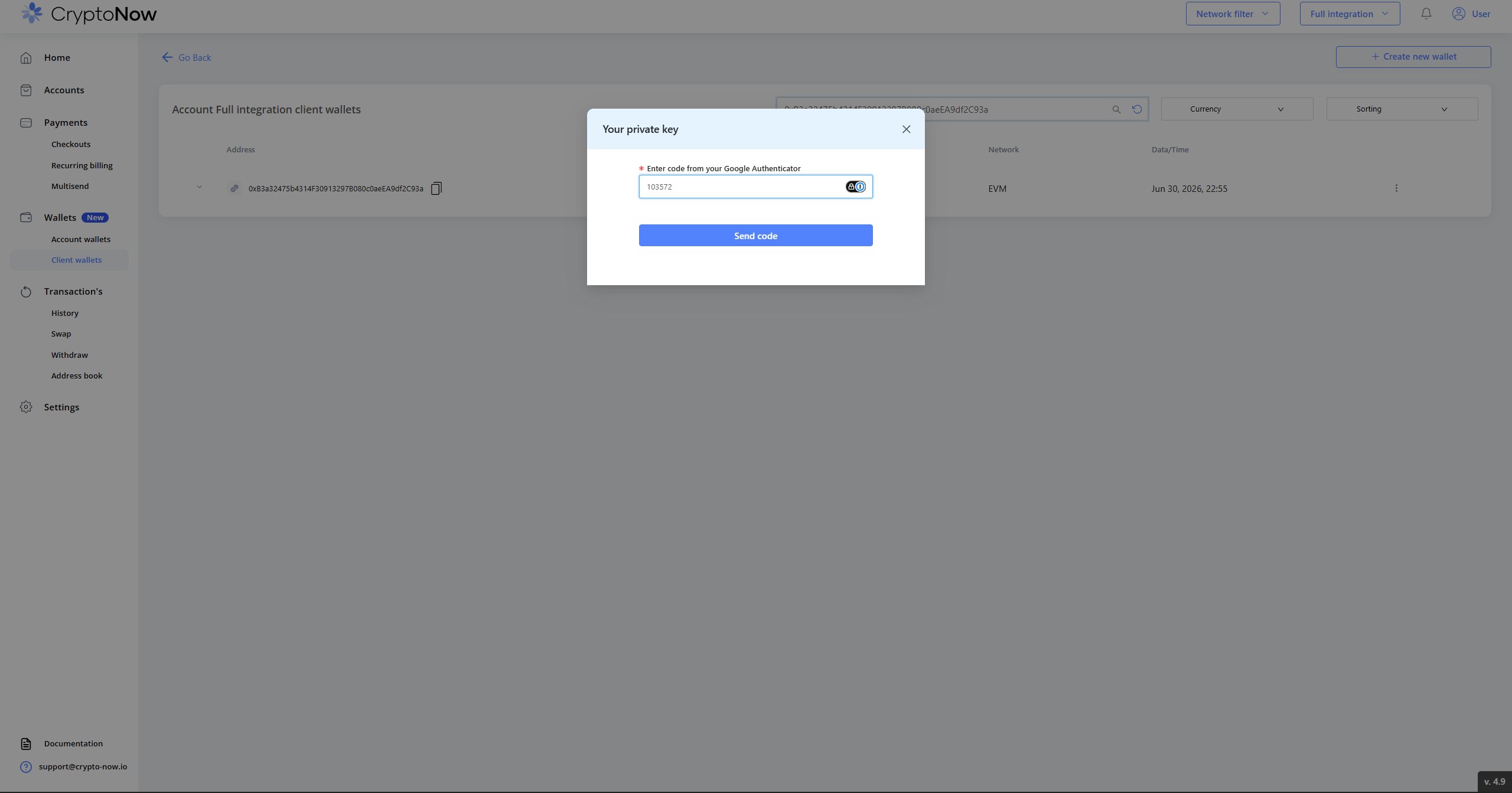
 Enter the code from **Google Authenticator** and send it. (See [Secure your account](/secure-your-account) if 2FA isn't set up.)
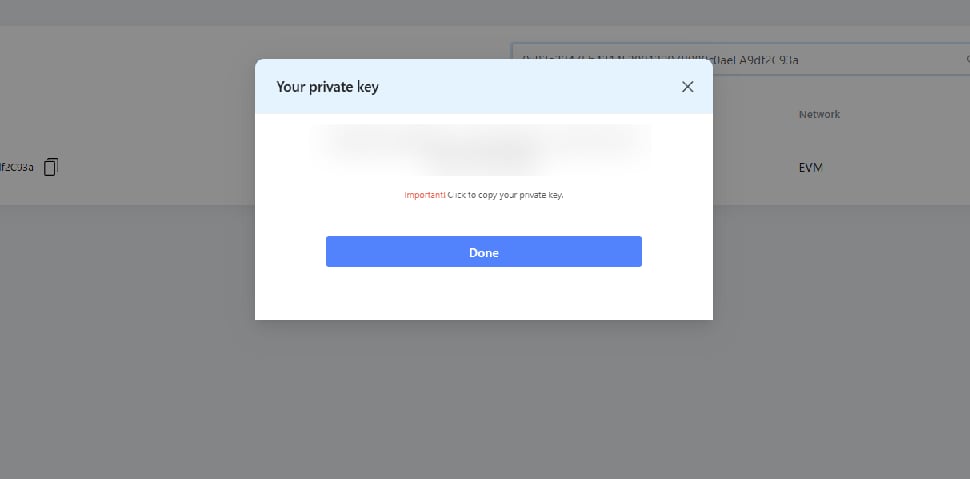
 The key is shown once — copy it.
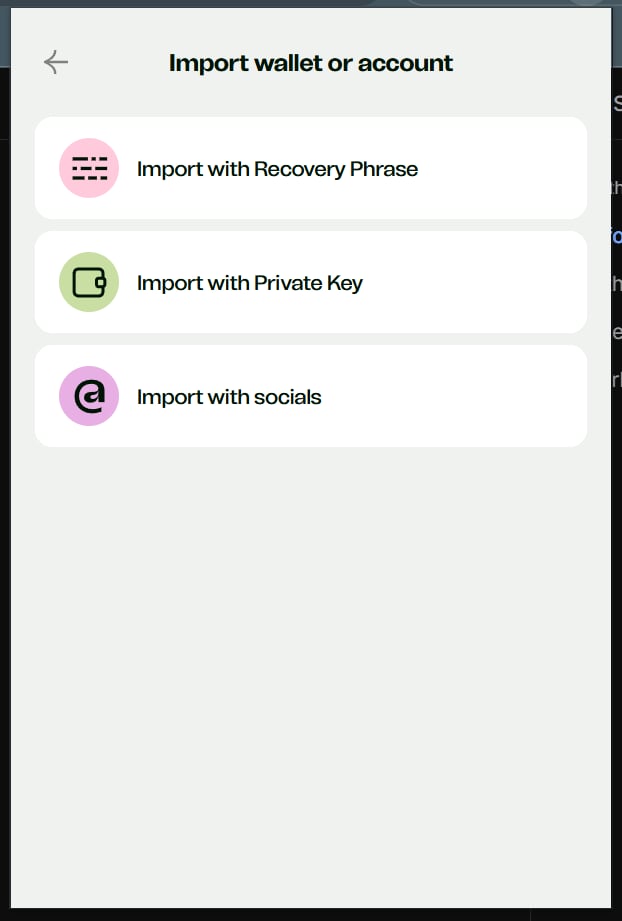
 Open any self-custody EVM wallet — this example uses **Ctrl Wallet**; **MetaMask**, **Phantom**, etc. work too, depending on the token's network. Choose **Add → Import wallet or account → Import with Private Key**, pick the network, paste the key, and give it a name.
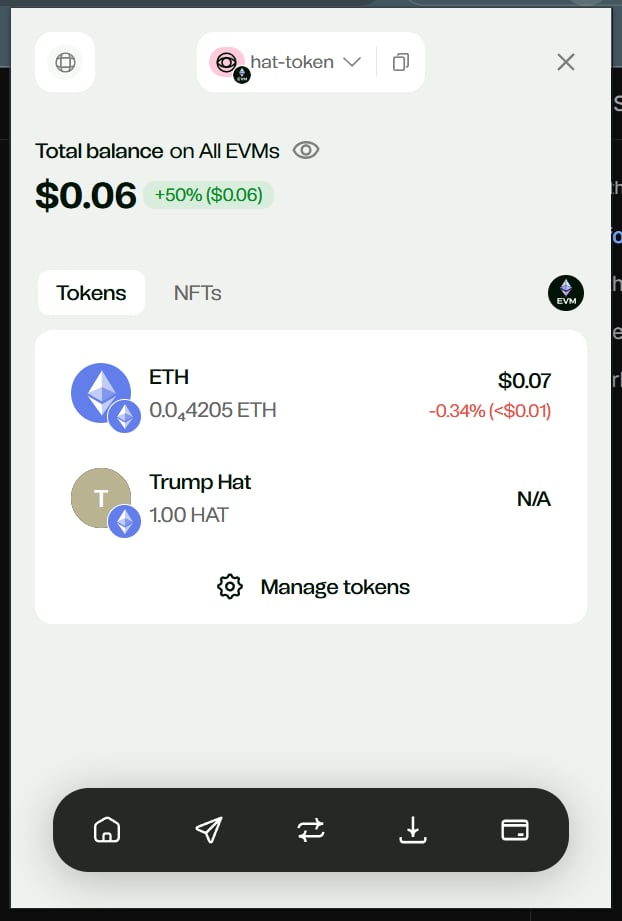
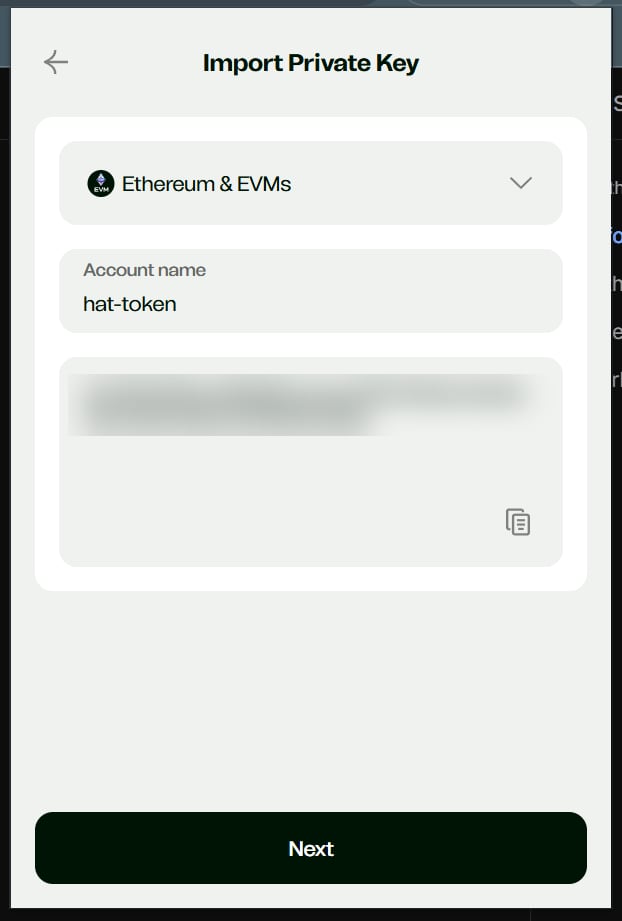 The imported wallet now shows the stuck token alongside any leftover native gas.
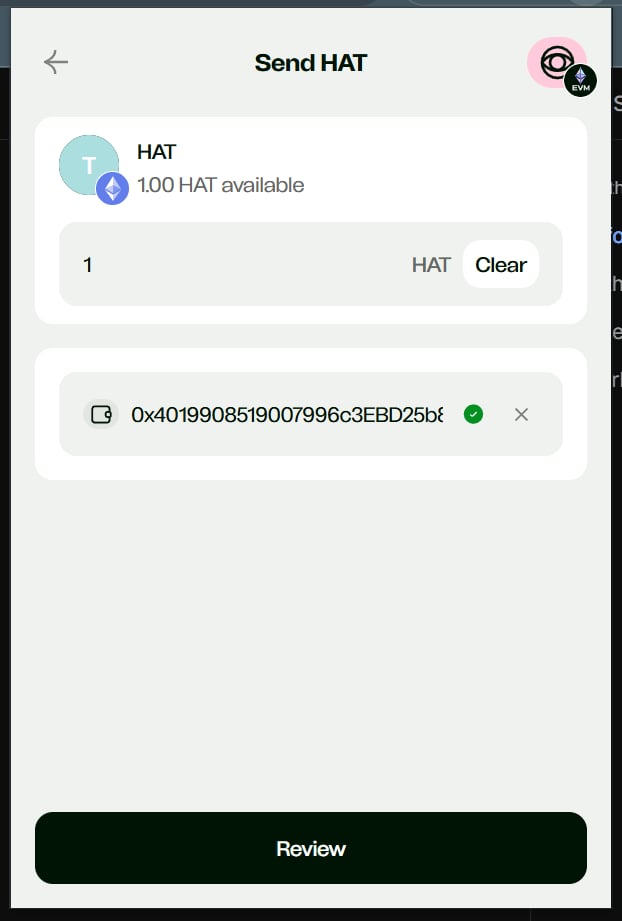
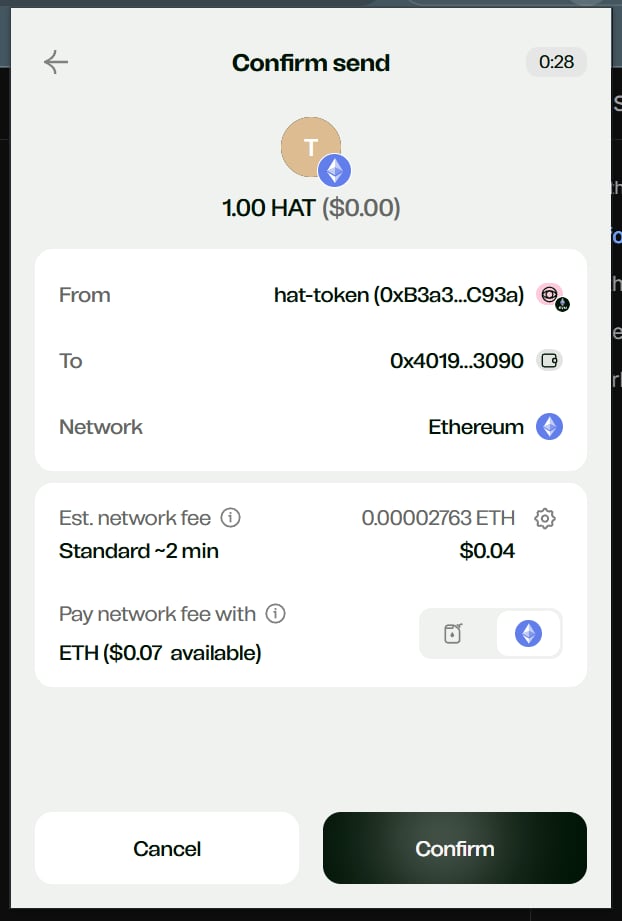
 Send the token out — to the client's correct wallet, to your account wallet, or to an exchange. The network fee is paid from the native coin on the wallet.
 ## Why this happens
CryptoNow sweeps **supported** assets to your account wallets automatically. Anything outside that set — an LP token, a one-off ERC-20, a token sent on a network the wallet wasn't created for — lands at the address but isn't tracked. The static client wallet is a **real on-chain wallet you control**, so the funds are always reachable with its key; this recovery is simply how you reach them.
Send the token to whichever wallet you want it in — typically the client's correct address or your own account wallet — and the recovery is complete.
## Why this happens
CryptoNow sweeps **supported** assets to your account wallets automatically. Anything outside that set — an LP token, a one-off ERC-20, a token sent on a network the wallet wasn't created for — lands at the address but isn't tracked. The static client wallet is a **real on-chain wallet you control**, so the funds are always reachable with its key; this recovery is simply how you reach them.
Send the token to whichever wallet you want it in — typically the client's correct address or your own account wallet — and the recovery is complete.