> ## Documentation Index
> Fetch the complete documentation index at: https://guide.crypto-now.io/llms.txt
> Use this file to discover all available pages before exploring further.
# Set up your treasury & gas
> Fund native gas tokens in your account wallets so sweeps, swaps, and sends can go through — and set who covers gas on client flows.
Your **account wallets** are your treasury — one wallet per network, holding what
you've earned. On-chain actions (sweeping client deposits, swapping, sending out)
cost a network miner fee, paid in that chain's **native gas token** (ETH on
Ethereum, BNB on BNB Chain, and so on). Keep a little gas in each network you use,
or those actions can't execute.
## See your treasury
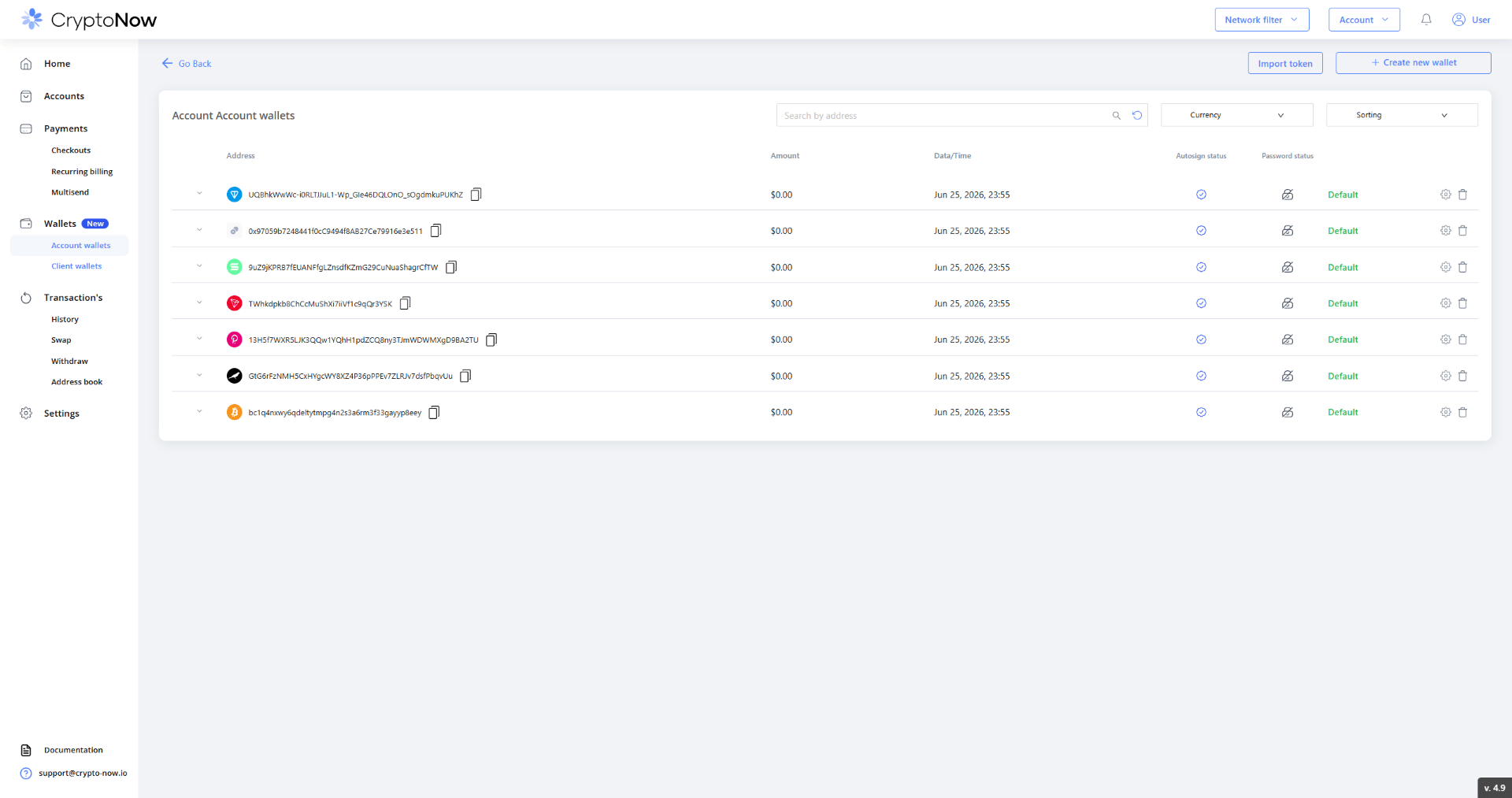
Go to **Wallets → Account wallets** for the per-network view of your balances.
 ## Fund gas
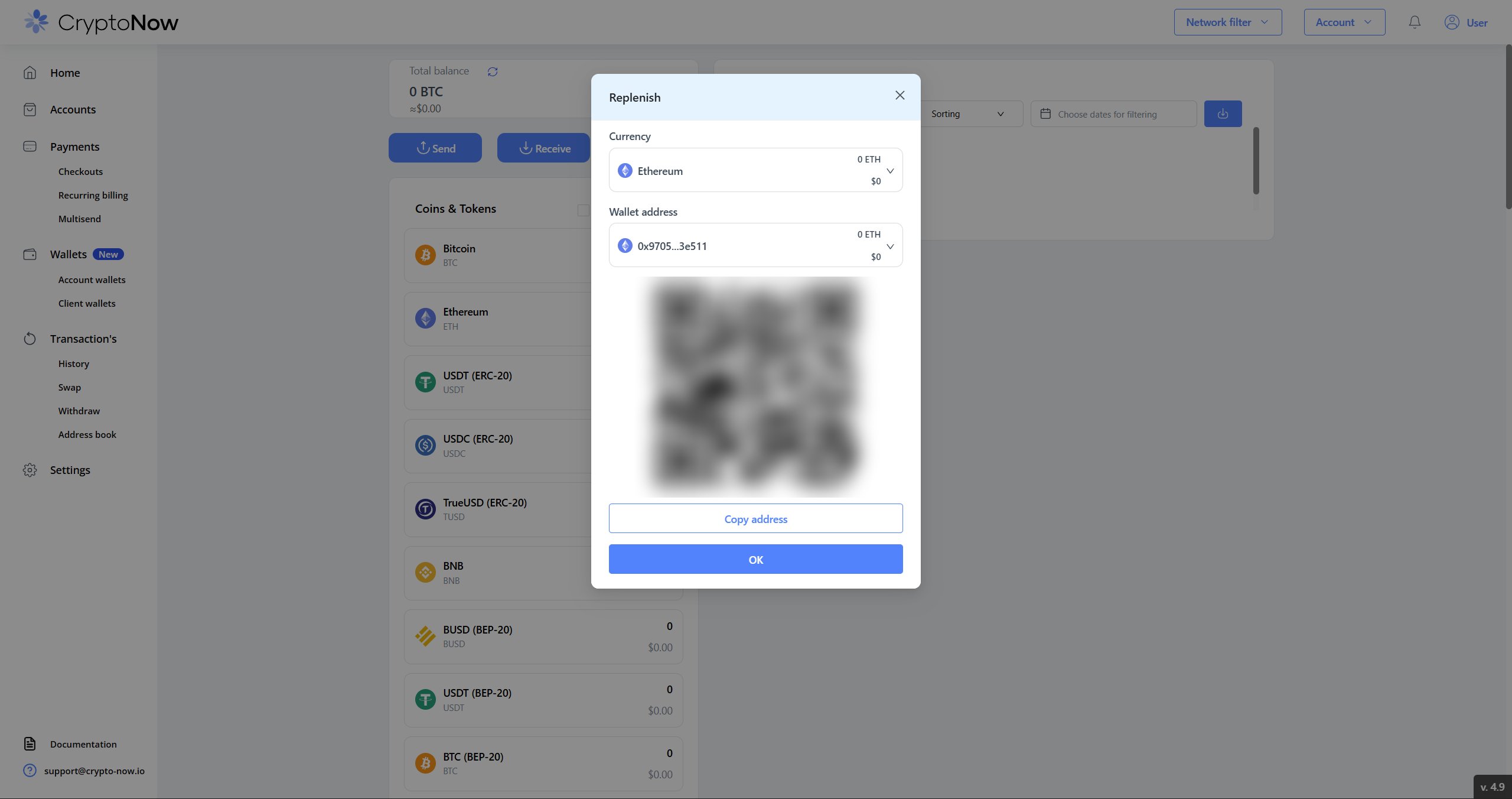
Open **Receive** on the native coin of a network you'll use (e.g. Ethereum),
then send a small amount of that token to the address shown — scan the QR or copy
the address.
## Fund gas
Open **Receive** on the native coin of a network you'll use (e.g. Ethereum),
then send a small amount of that token to the address shown — scan the QR or copy
the address.
 You only need gas on the networks you'll actually transact on. A few dollars of
native token per network is plenty to start.
## Choose who pays gas
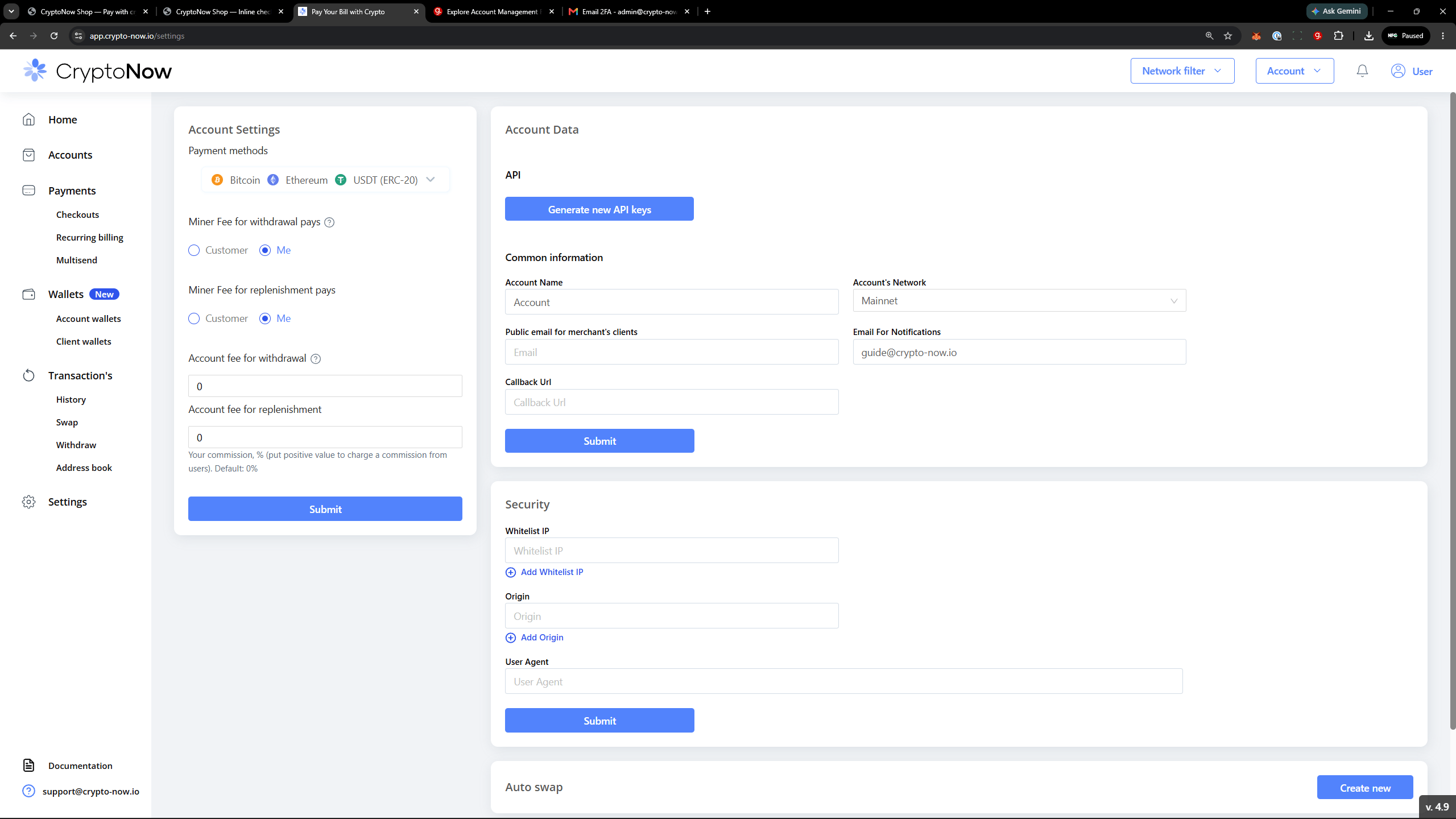
In **Settings → Account Settings**, the **Miner Fee for withdrawal / replenishment
pays** toggles decide whether **you (Me)** or **the customer** covers the network
fee. The same panel holds your **Account fee** percentages — your optional
commission on withdrawals and replenishments.
You only need gas on the networks you'll actually transact on. A few dollars of
native token per network is plenty to start.
## Choose who pays gas
In **Settings → Account Settings**, the **Miner Fee for withdrawal / replenishment
pays** toggles decide whether **you (Me)** or **the customer** covers the network
fee. The same panel holds your **Account fee** percentages — your optional
commission on withdrawals and replenishments.
 **This toggle only affects client-wallet flows** — client replenishment sweeps
and client-wallet withdrawals. It does **not** change who pays gas on your own
account-wallet sends or swaps; those always draw native gas from the account
wallet itself. That's why funding gas above matters regardless of this setting.
**This toggle only affects client-wallet flows** — client replenishment sweeps
and client-wallet withdrawals. It does **not** change who pays gas on your own
account-wallet sends or swaps; those always draw native gas from the account
wallet itself. That's why funding gas above matters regardless of this setting.