Register your CryptoNow account with email and get to your dashboard in a couple of minutes.
Creating your CryptoNow account takes about two minutes. You can sign up four ways — email, phone, Google, or MetaMask — and this guide walks through email, the most common. The steps are nearly identical for the others.
On the welcome screen, pick Sign up with email. Phone, Google, and MetaMask sit right beside it if you’d rather use one of those — Google and MetaMask double as login later if the account already exists.
2
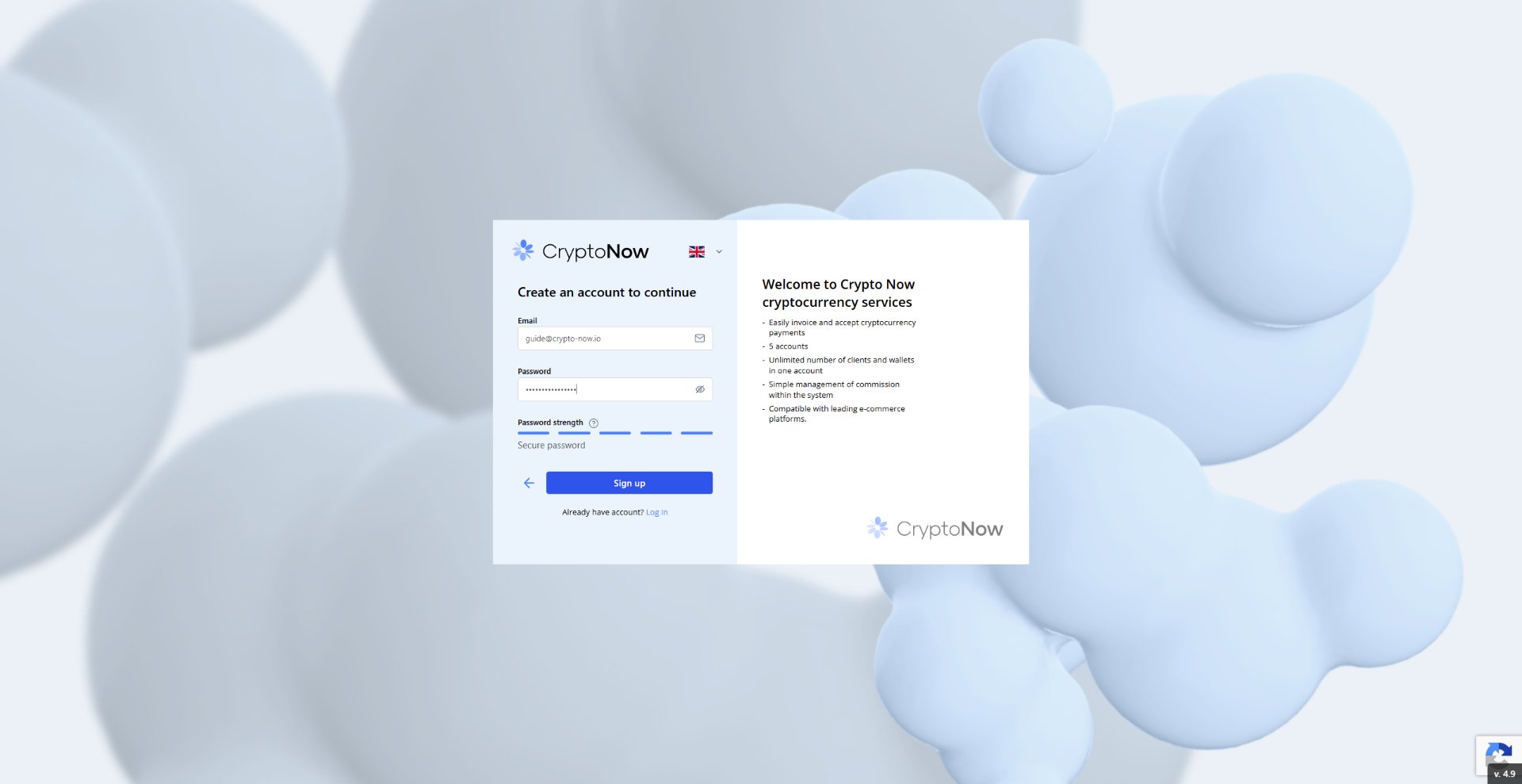
Enter your email and a password
Type the email you want the account tied to, then set a password.
Your password must be at least 8 characters, with at least one uppercase letter and one digit. The strength meter below the field updates as you type.
3
Submit the form
Click Sign up. CryptoNow creates your account and signs you in.
4
Confirm
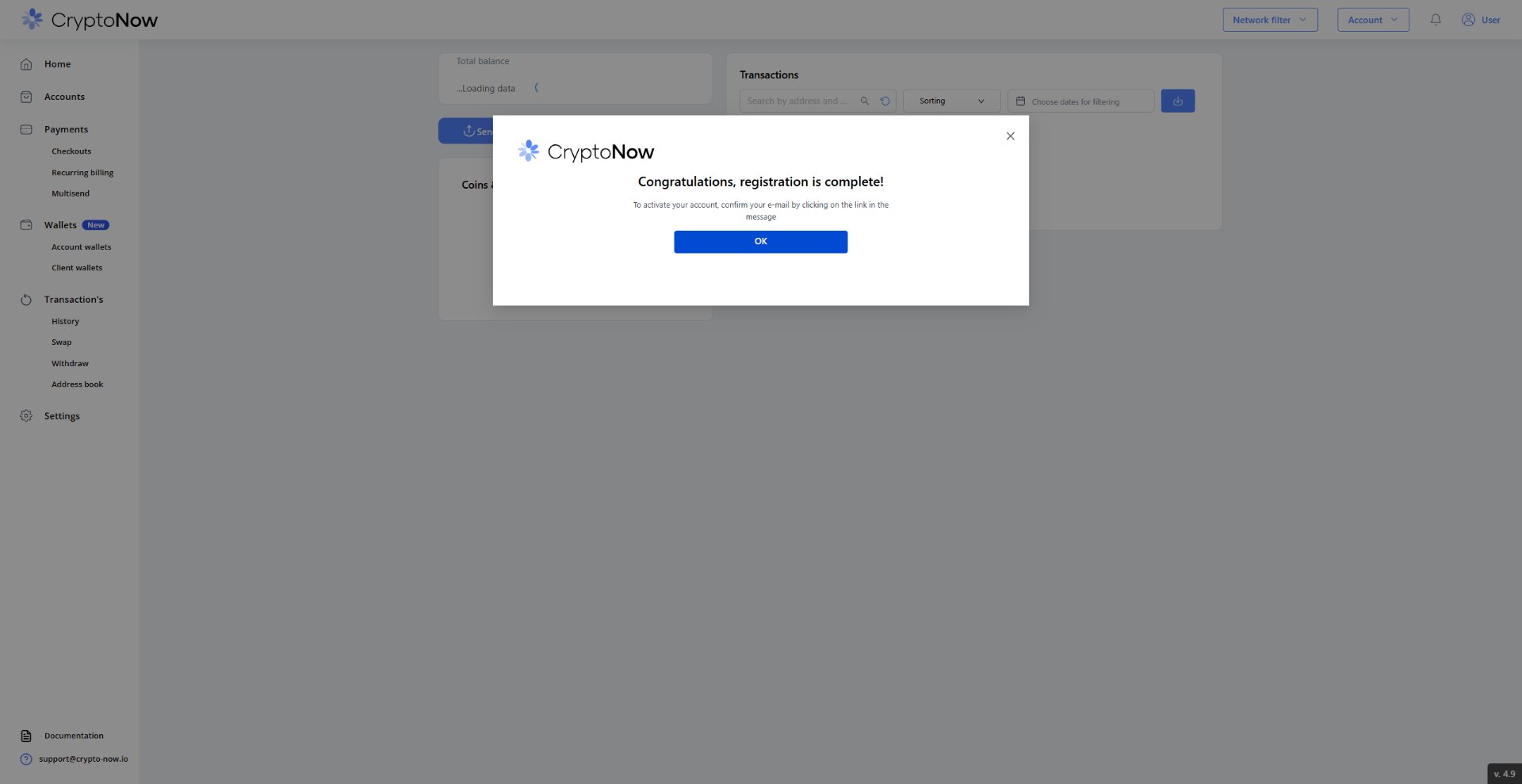
A “Congratulations, registration is complete” message appears. Click OK to land on your dashboard.
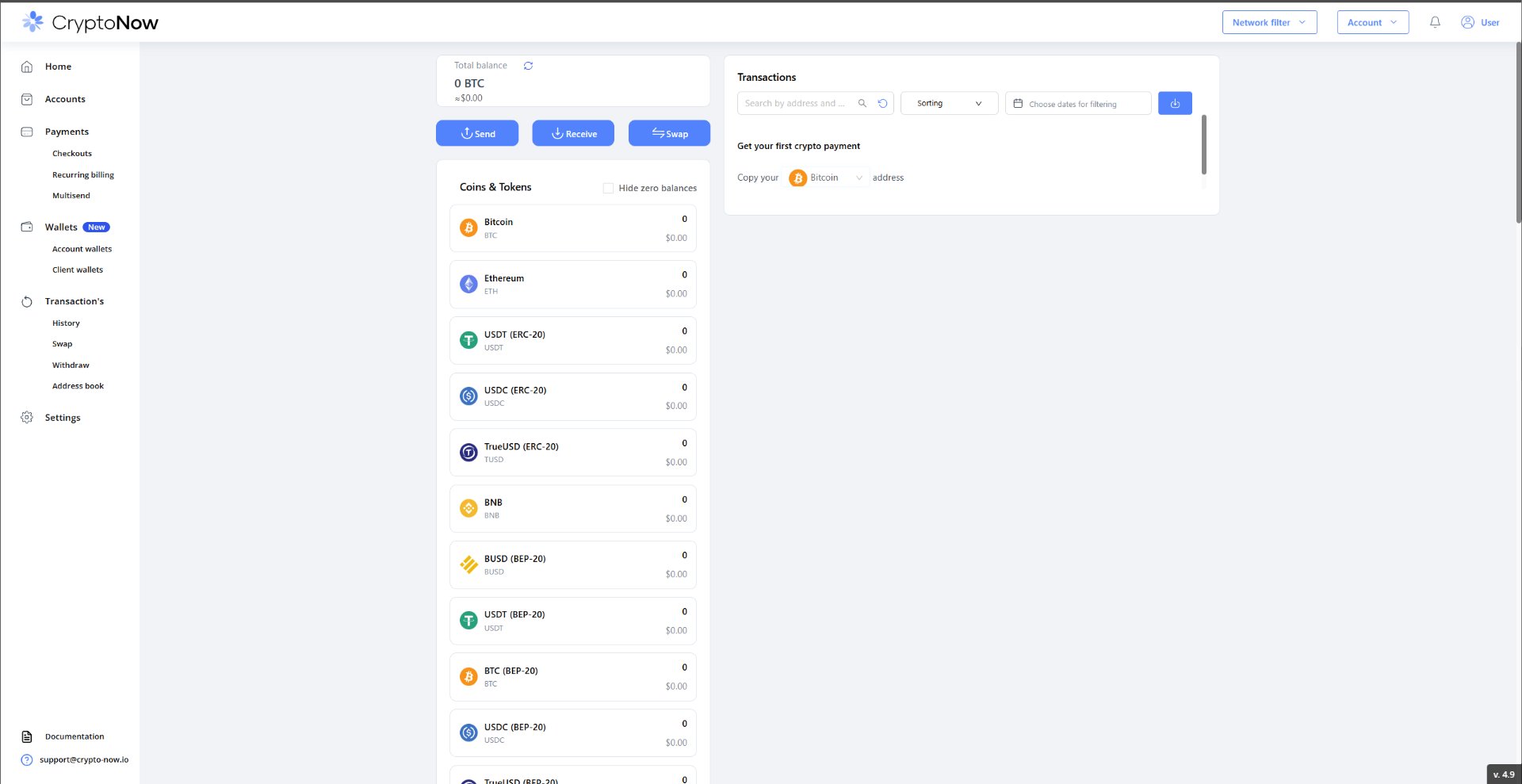
You arrive on your dashboard — total balance up top, and your full list of coins and tokens below, each starting at zero. This is home base. Your wallets are already created for you; nothing to set up there.
One quick thing before you take any money in. CryptoNow lets you sign up and look around freely, but the moment you go to withdraw funds, view a private key, or view an API key, you’ll be asked to turn on two-factor authentication (email + Google Authenticator). It’s worth setting up now so it’s not in your way later — see Secure your account.
Want to rehearse the whole flow without real funds first? Switch your account to Testnet using the network switcher (top-right). Everything works exactly the same, with test currency.
Getting started takes about two minutes: create an account, confirm your email, and you’re in.
Every CryptoNow account is a Business account. There’s no plan to pick at sign-up — you get up to 5 accounts, unlimited clients and wallets, commission controls, API access, and e-commerce integrations from the start.
You can register four ways — Email, Phone, Google, or MetaMask. Google and MetaMask double as your login afterwards. This guide uses email.
1
Enter your email and a password
Head to the sign-up page, enter your email, and choose a password. The strength meter should read Secure before you continue.
The sign-up form — email plus a strong password.
2
Confirm your registration
Click Sign up. CryptoNow confirms the account was created and asks you to activate it by confirming your email.
Registration complete — one step left: confirm your email.
3
Verify your email
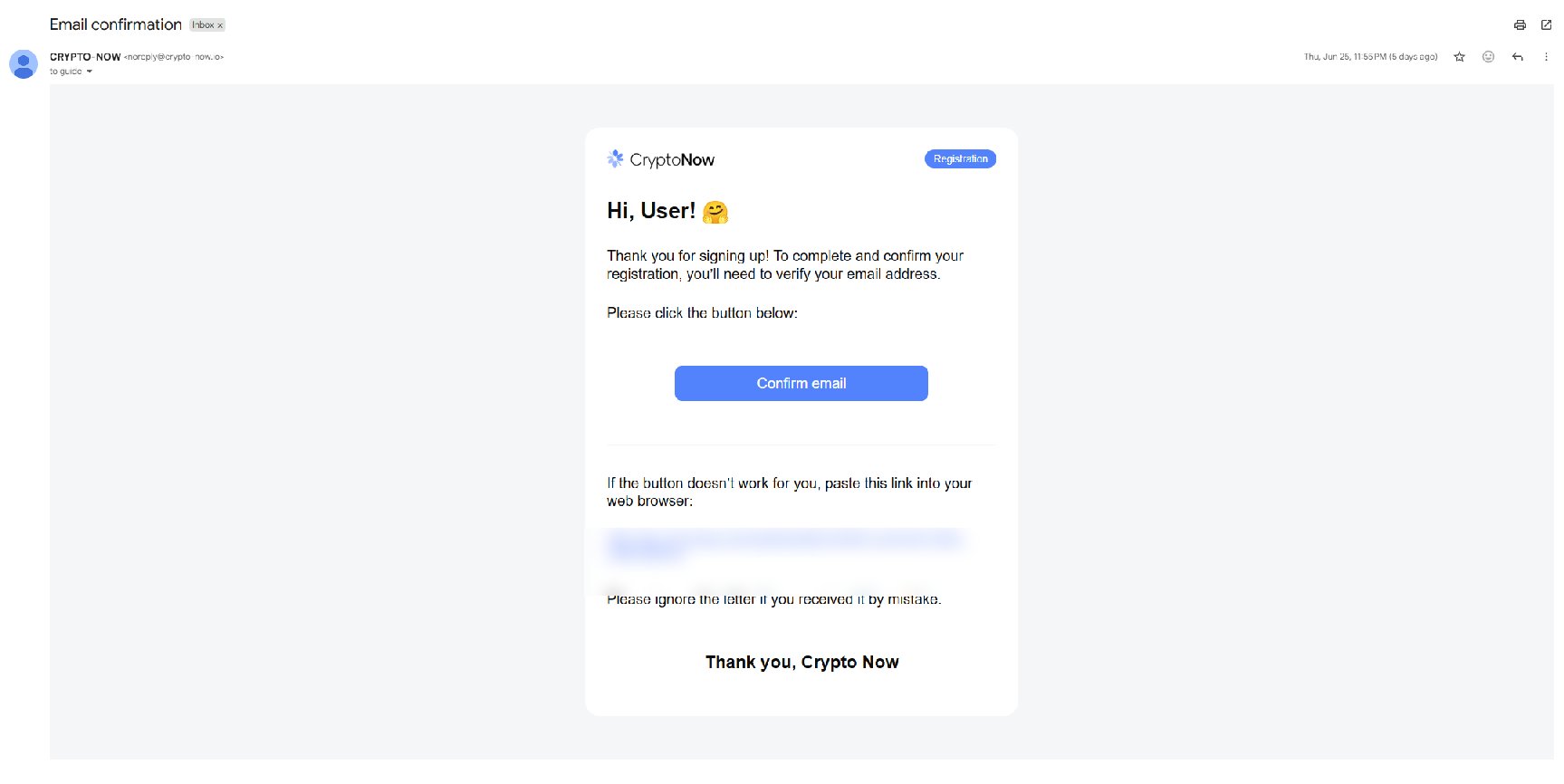
Open the Email confirmation message from CryptoNow and click Confirm email. Your account isn’t active until you do this.
Click Confirm email to activate the account.
4
You're in
You land on your dashboard — total balance, Send / Receive / Swap, and your full list of supported coins and tokens, all at zero until your first payment.
Your CryptoNow dashboard, ready for its first payment.
Two-factor authentication isn’t forced at sign-up, but email + Google Authenticator 2FA are required before any money or key action — withdrawing, moving funds, viewing keys, or generating API keys. Set this up first in Secure your account.