Send crypto out of your CryptoNow account to any external address, another internal wallet, or a saved contact — with fees, gas priority, and two-factor security.
When funds land in your account wallets, you withdraw them straight from the dashboard. CryptoNow estimates the network (miner) fee and the system fee, takes both on top of the amount you enter, and asks for two-factor confirmation before anything moves.
Fees are added on top — the recipient gets exactly what you type. Your wallet is debited the amount plus the miner fee plus the 0.5% system fee. You never have to back the fees out of the amount yourself.
The wallet you’re withdrawing from needs the native gas coin of that network. For an ERC-20 token like USDT, that means the account wallet must hold some ETH to pay the miner fee. (See Set up your treasury & gas.)
Both 2FA factors must be active: an email code and Google Authenticator. (See Secure your account.)
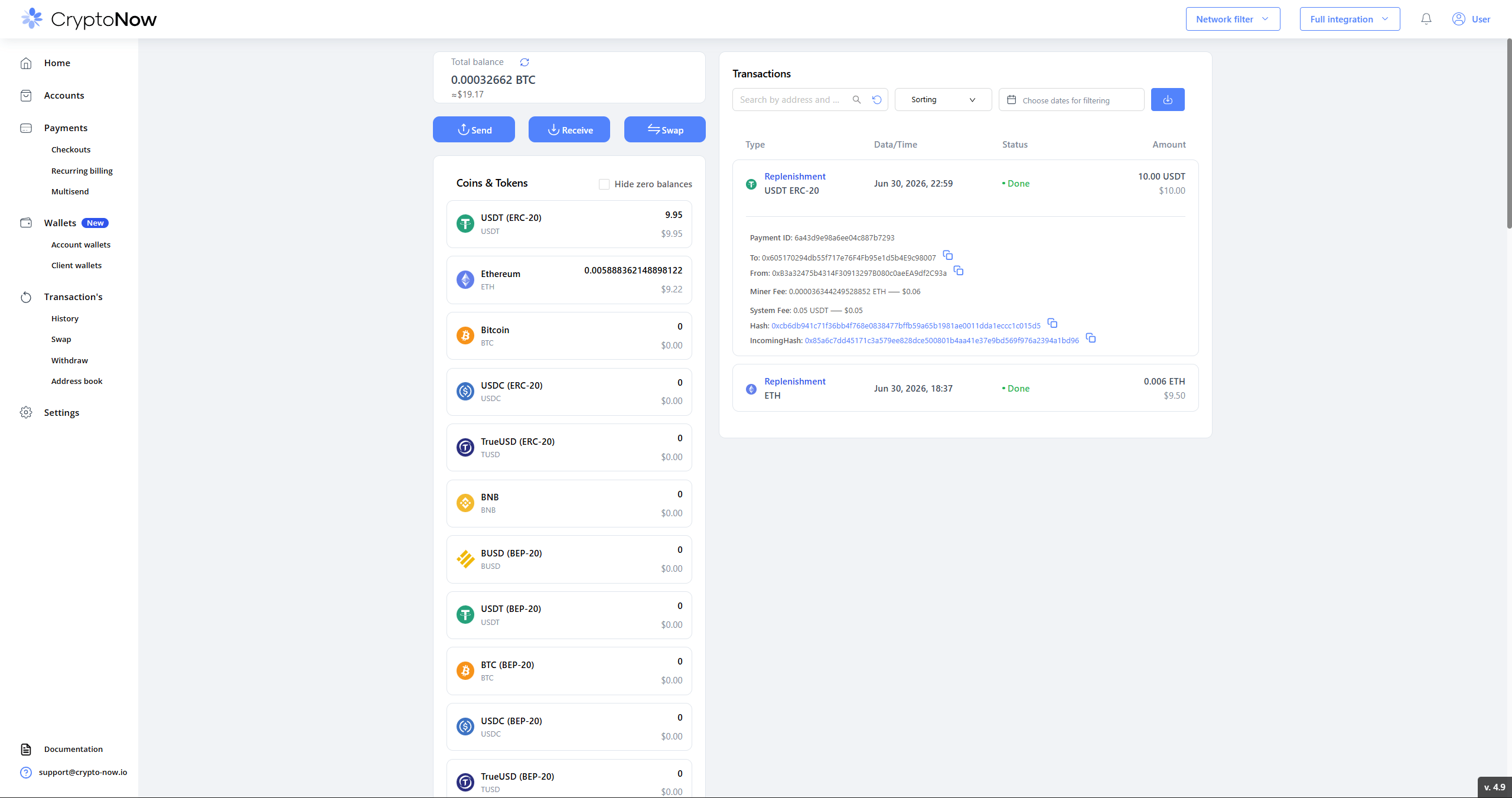
Go to Transaction’s → Withdraw (or click Send on a funded wallet from Home). Your wallets that hold a balance appear here.
An account wallet holding 9.95 USDT, ready to withdraw.
2
Fill in the withdrawal
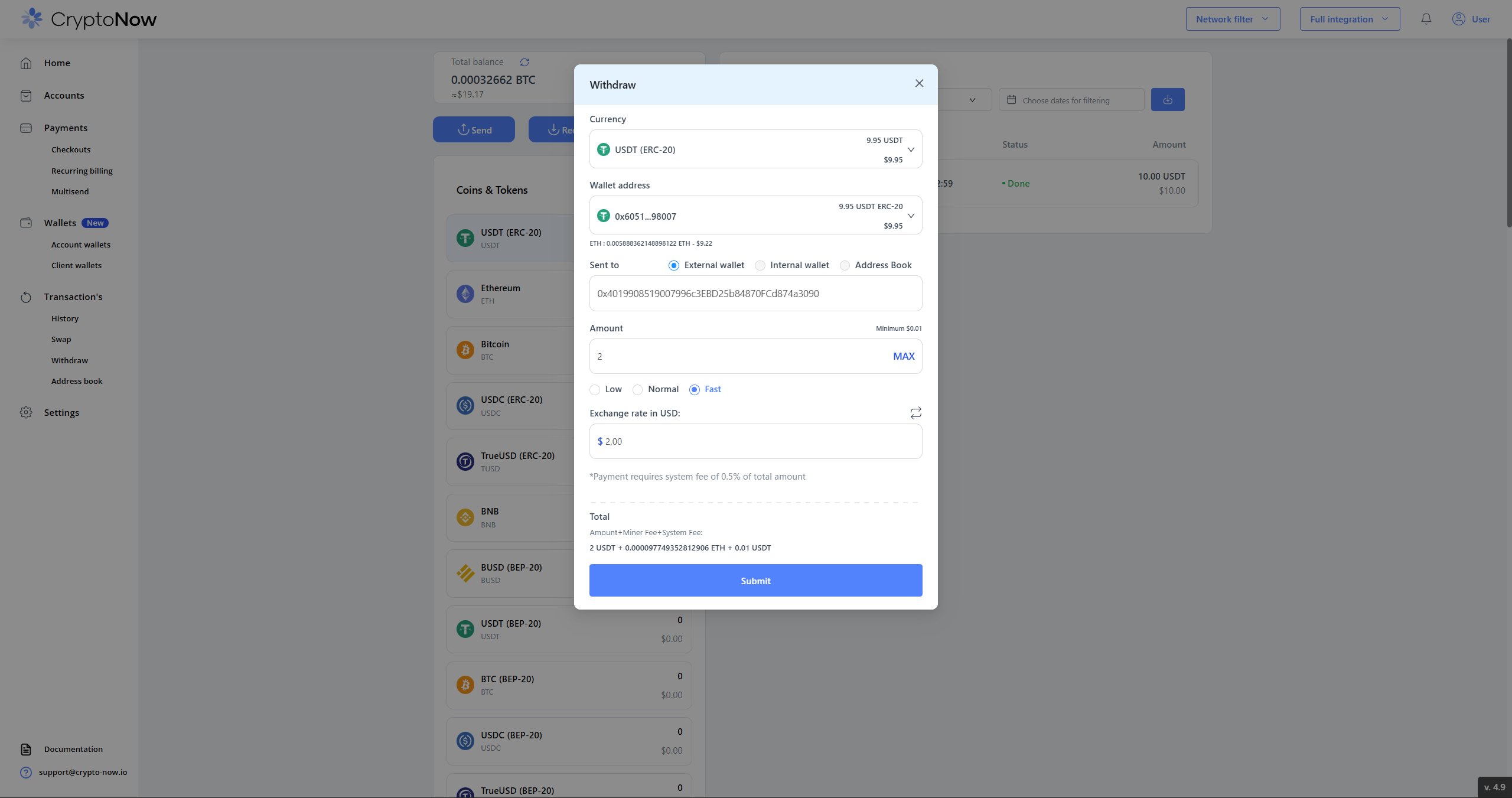
In the Withdraw dialog:
Currency — the coin/token to send (only currencies with funds are listed).
Wallet address — the source account wallet. The line beneath it shows the native-gas balance available to pay the miner fee (e.g. ETH: 0.0058… — $9.22).
Sent to — choose External wallet (paste any address), Internal wallet (move between your own wallets), or Address Book (a saved contact).
Amount — type a figure or hit MAX. The Minimum is per-coin and small (here $0.01) — there is no flat minimum.
Gas priority — Low / Normal / Fast. Faster confirmation costs more miner fee.
Exchange rate in USD — a helper to size the amount in dollars.
The dialog shows the running Total as Amount + Miner Fee + System Fee.
The Withdraw dialog. Note the Total breakdown and the 0.5% system-fee line.
A 0.5% system fee applies to withdrawals — the dialog states this directly. On a 2 USDT withdrawal that’s 0.01 USDT.
3
Confirm with your email code
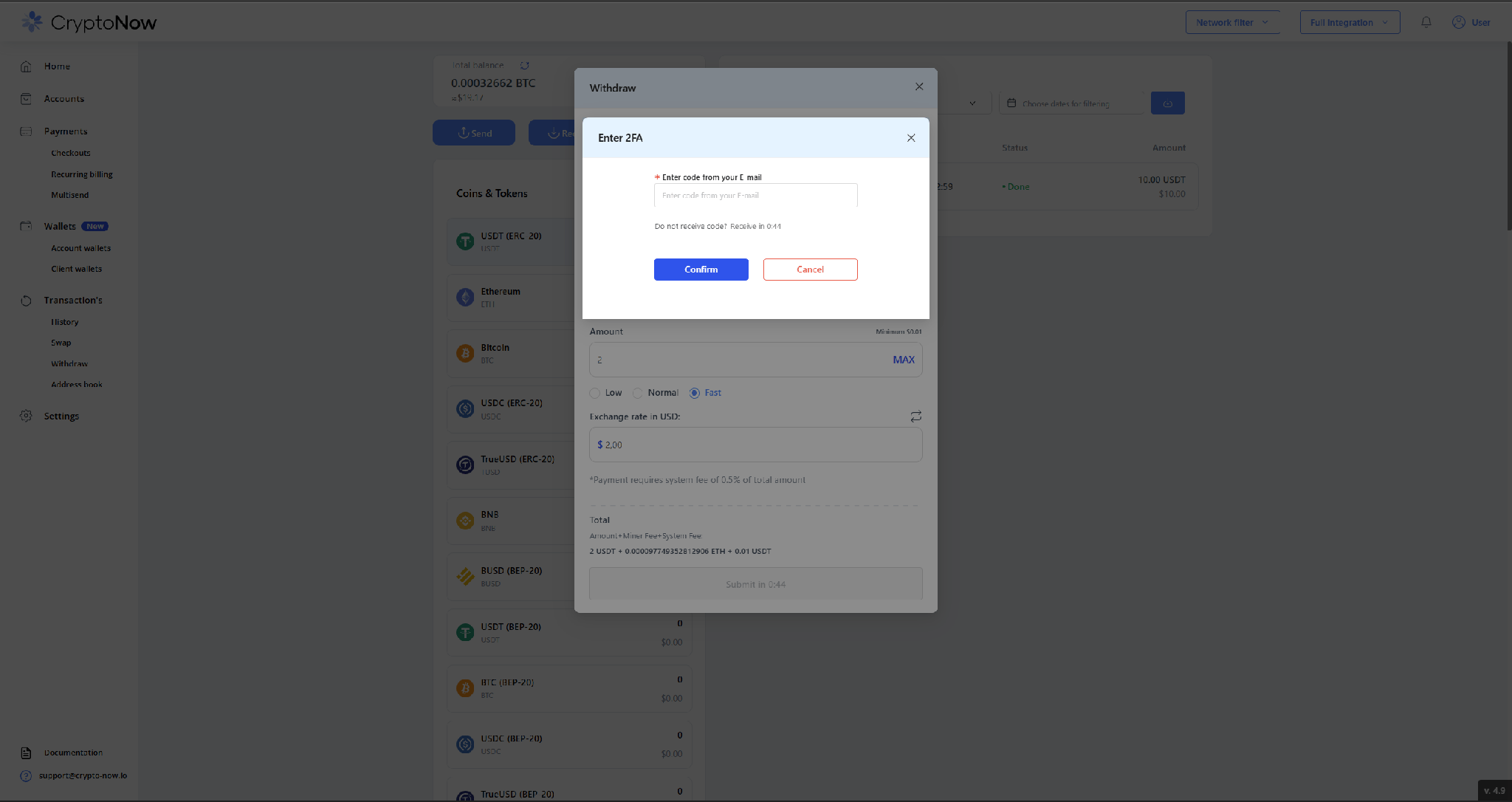
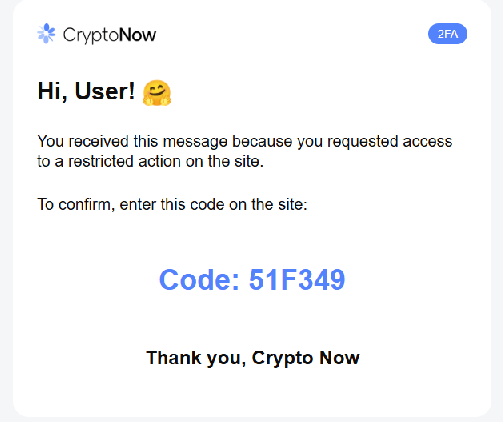
Press Submit. CryptoNow emails a one-time code — enter it and click Confirm.
First factor: the code sent to your email.
The email carrying the one-time code.
4
Confirm with Google Authenticator
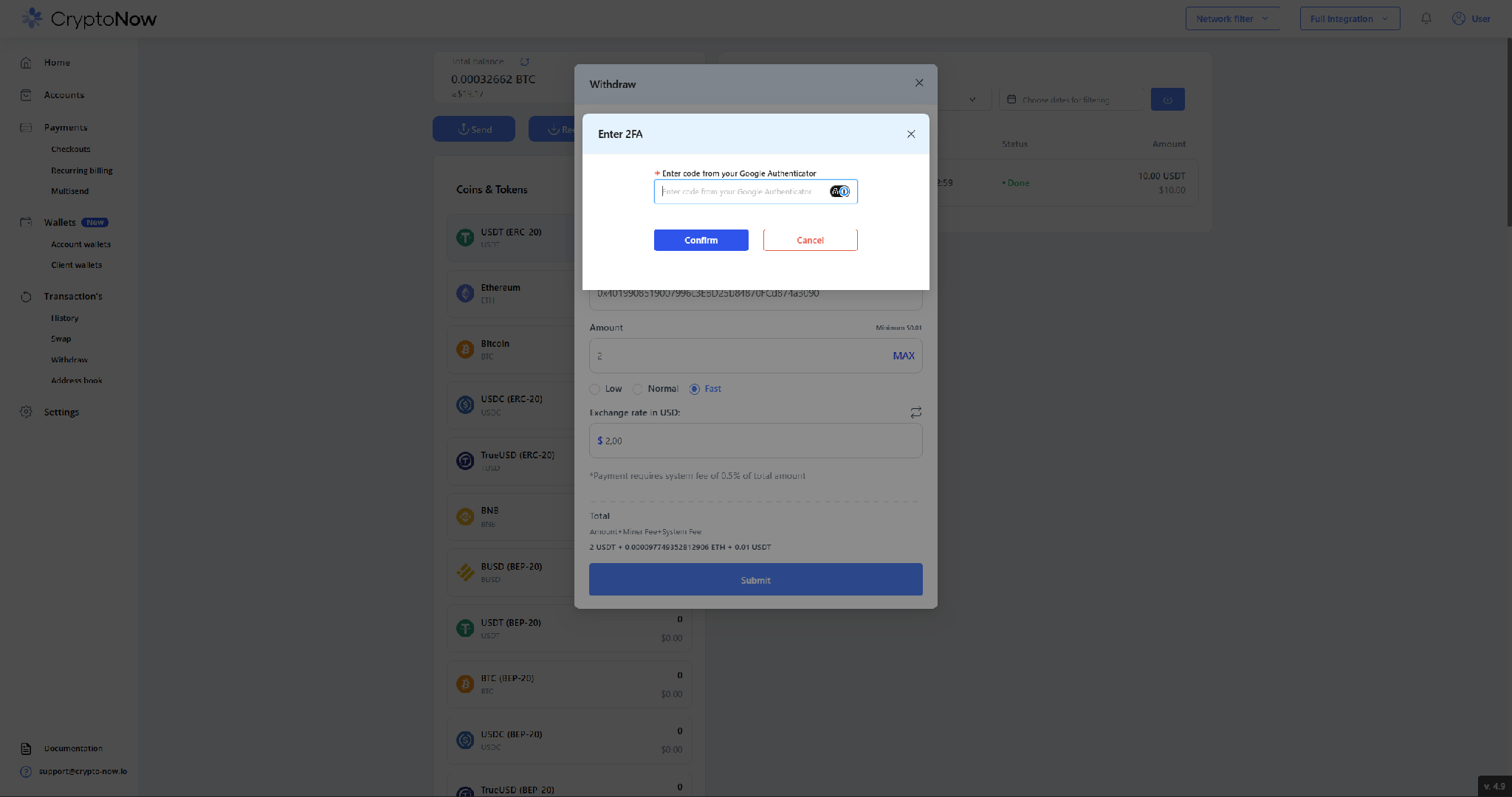
Then enter the current code from Google Authenticator and click Confirm. Withdrawals require both factors.
Second factor: your authenticator code.
5
Done
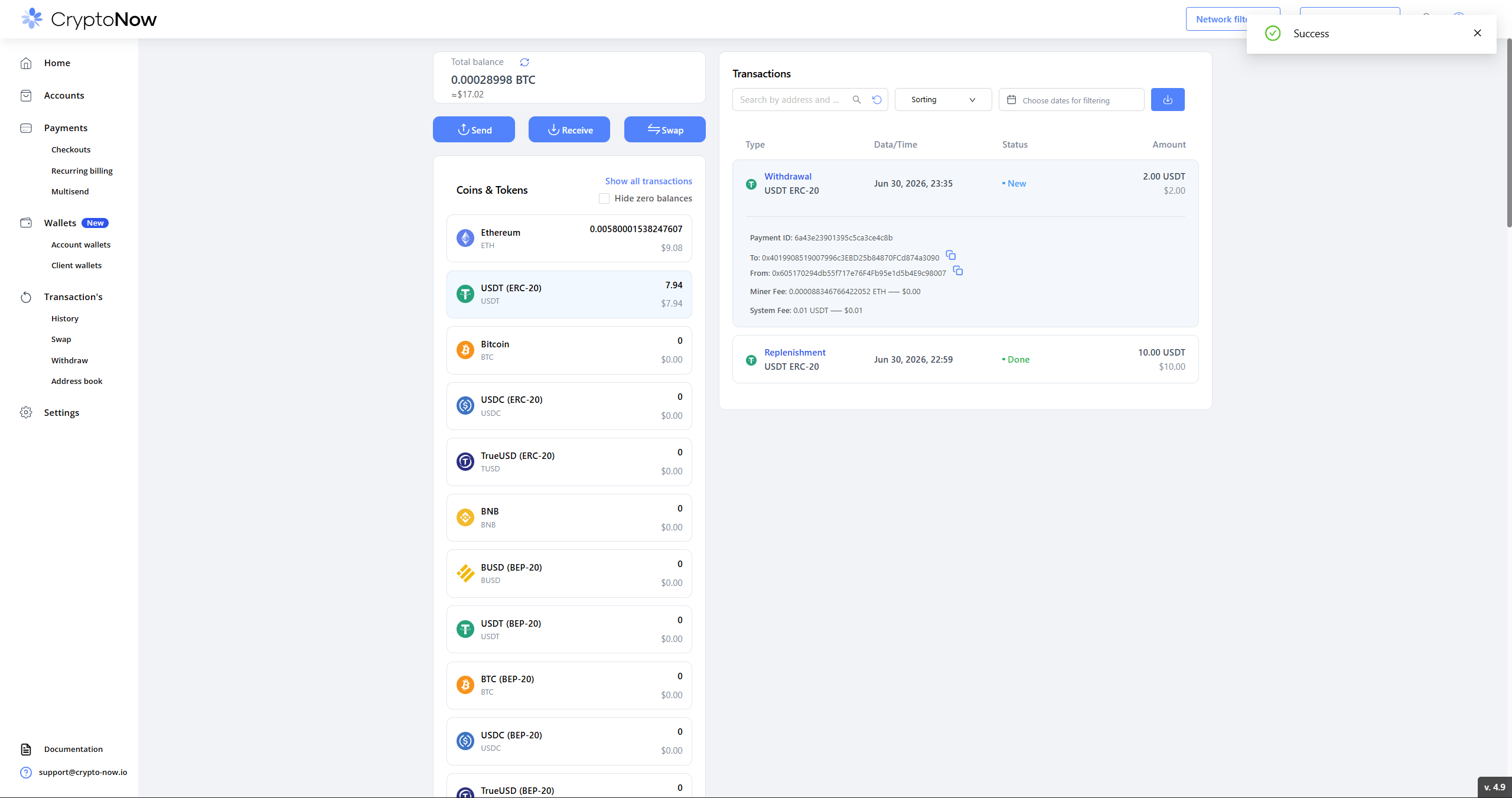
You’ll see a Success confirmation, and the Withdrawal appears in your transaction list with its hashes and the exact miner and system fees. The wallet balance drops by the amount plus the system fee; the miner fee is paid in the network’s native coin.
Withdrawal complete — balance reduced by the amount plus the 0.01 USDT system fee; miner fee paid in ETH.
The gas-payer toggle in your account settings (“Miner Fee for withdrawal / replenishment pays…”) governs client-wallet flows — replenishment sweeps and client-wallet withdrawals. An account-wallet send like this one always draws its miner fee from the account wallet itself, so keep a little native gas there.