

The customer starts a deposit in your platform
Your backend creates (or returns) that user's client wallet via the API
Your platform shows the returned address + QR
The customer sends funds
Funds sweep to your account wallet, and a callback fires
1. Set the callback URL, then generate API keys
Order matters: set the Callback Url first, Submit, and only then generate keys. In Settings → Account Data, enter your callback endpoint, Submit, then click Generate new API keys — you get a Public key and Private key.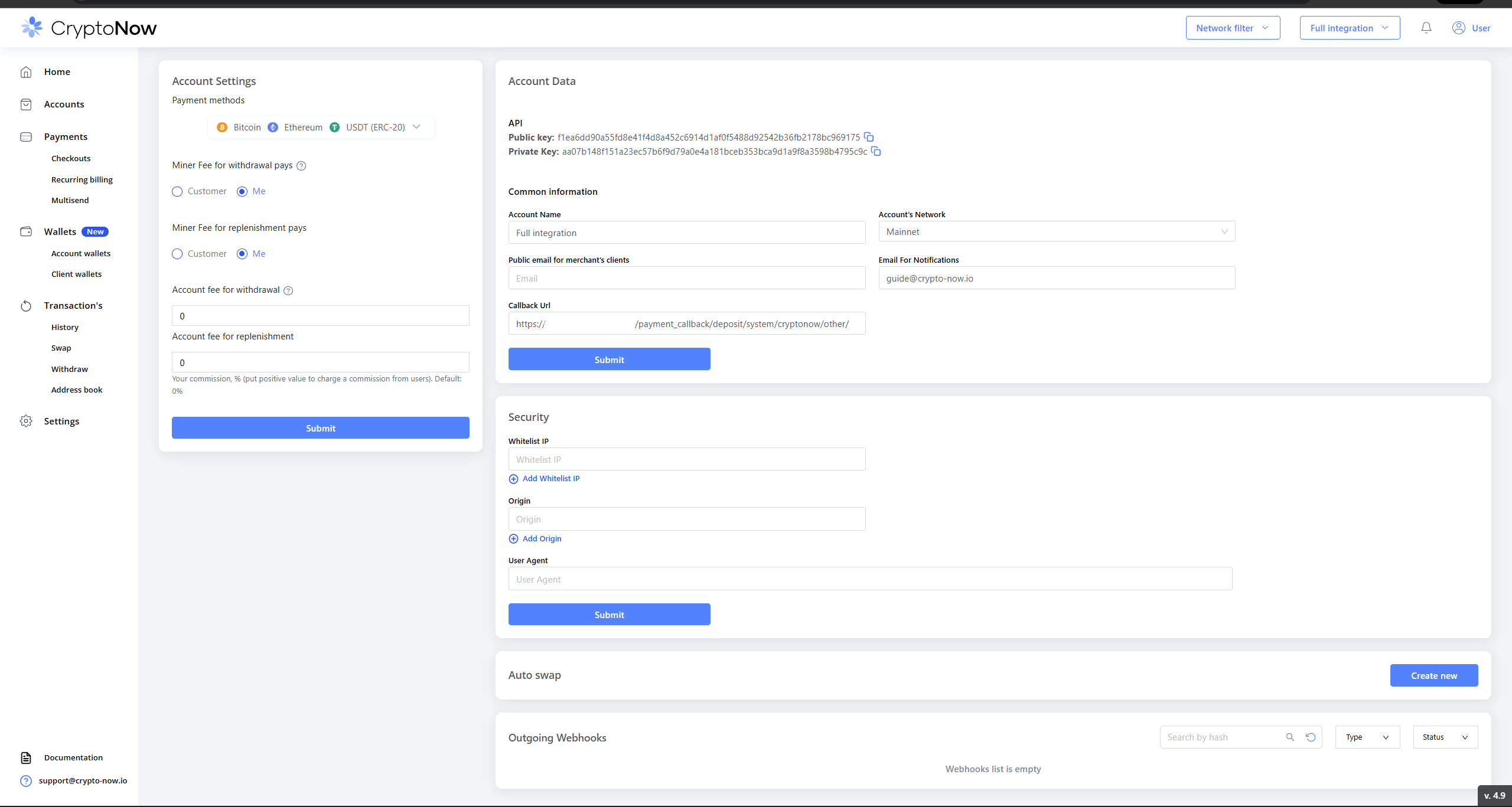
Callback URL set, then API keys generated.
2. Get your account wallet’s Wallet ID + passphrase
Wallet operations (and withdrawals) need the account wallet’s Wallet ID + passphrase for the network you settle on — here the EVM / Ethereum account wallet. In Wallets → Account wallets, open the wallet’s menu → Passphrase → Send code (passes 2FA) → the Wallet ID and Passphrase are revealed.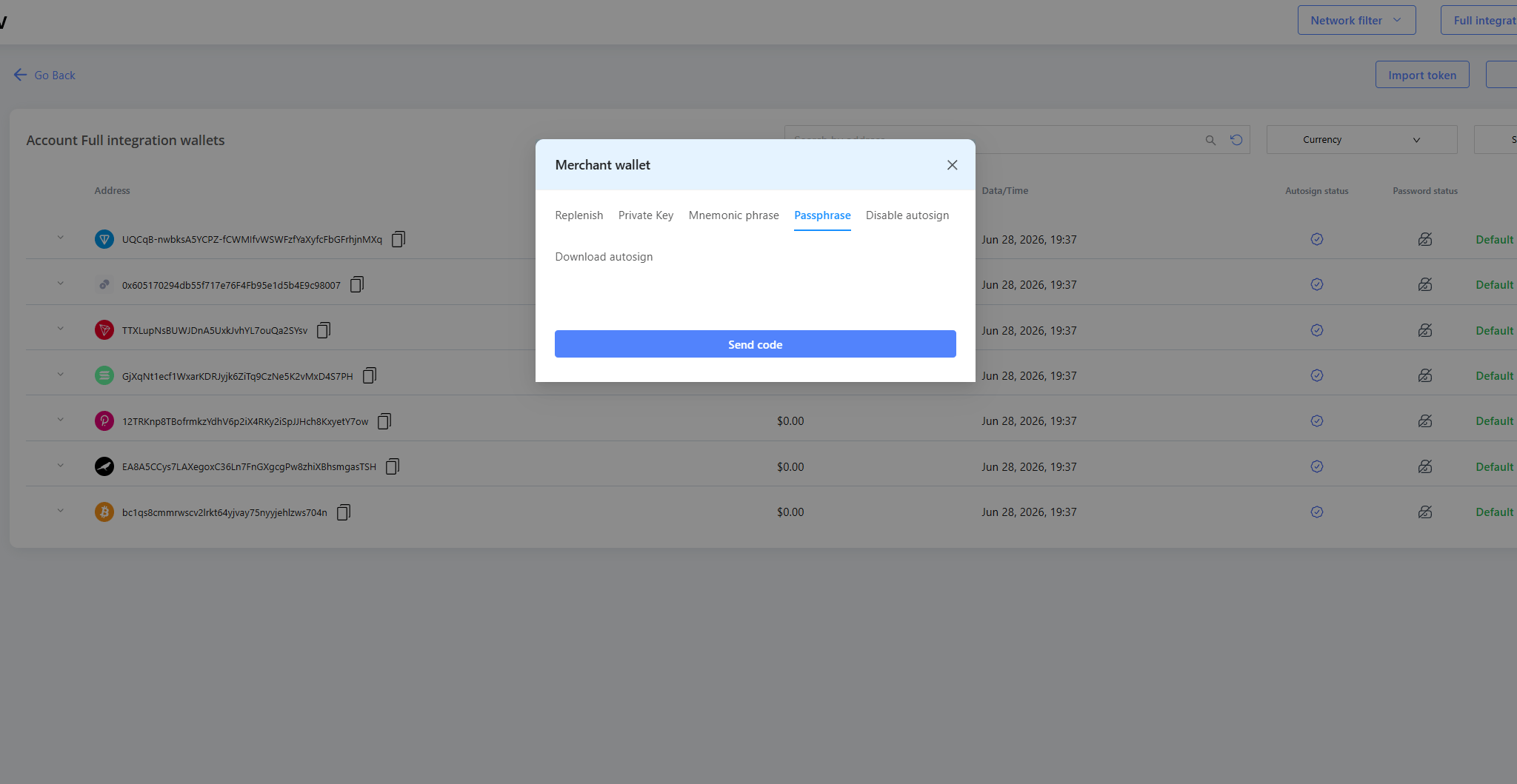
Account wallet menu → Passphrase → Send code (2FA).
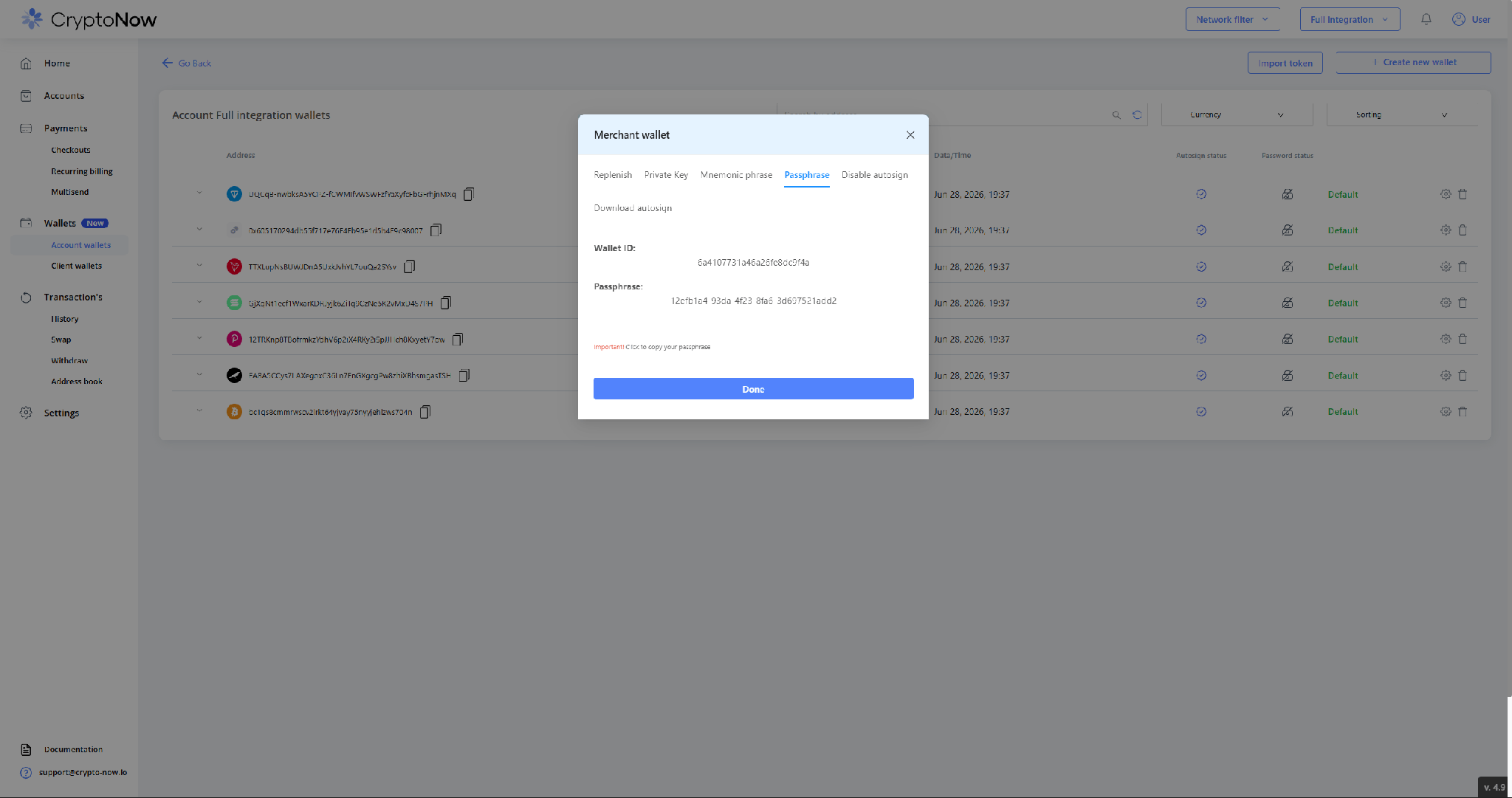
Wallet ID + passphrase for the EVM account wallet.
3. The customer starts a deposit — and the wallet is minted
In your platform’s deposit screen, the customer picks the method and clicks Confirm.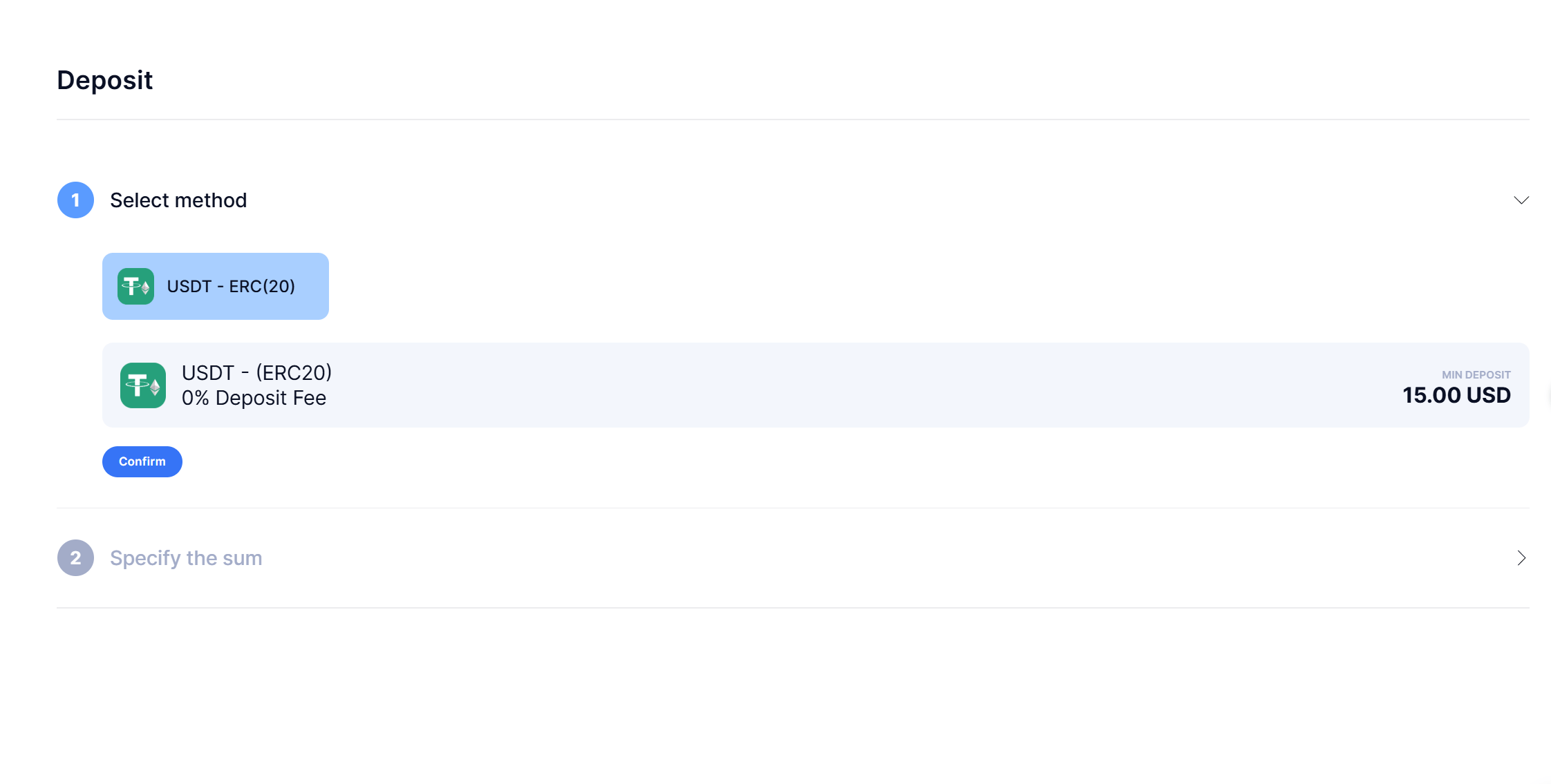
Deposit method selection in your platform. Confirm triggers the wallet creation.
https://napi.crypto-now.io. Authenticate with the keys, look up the currencyId for the network, then create the client wallet (typeWallet: user) — the response’s address is what you display.
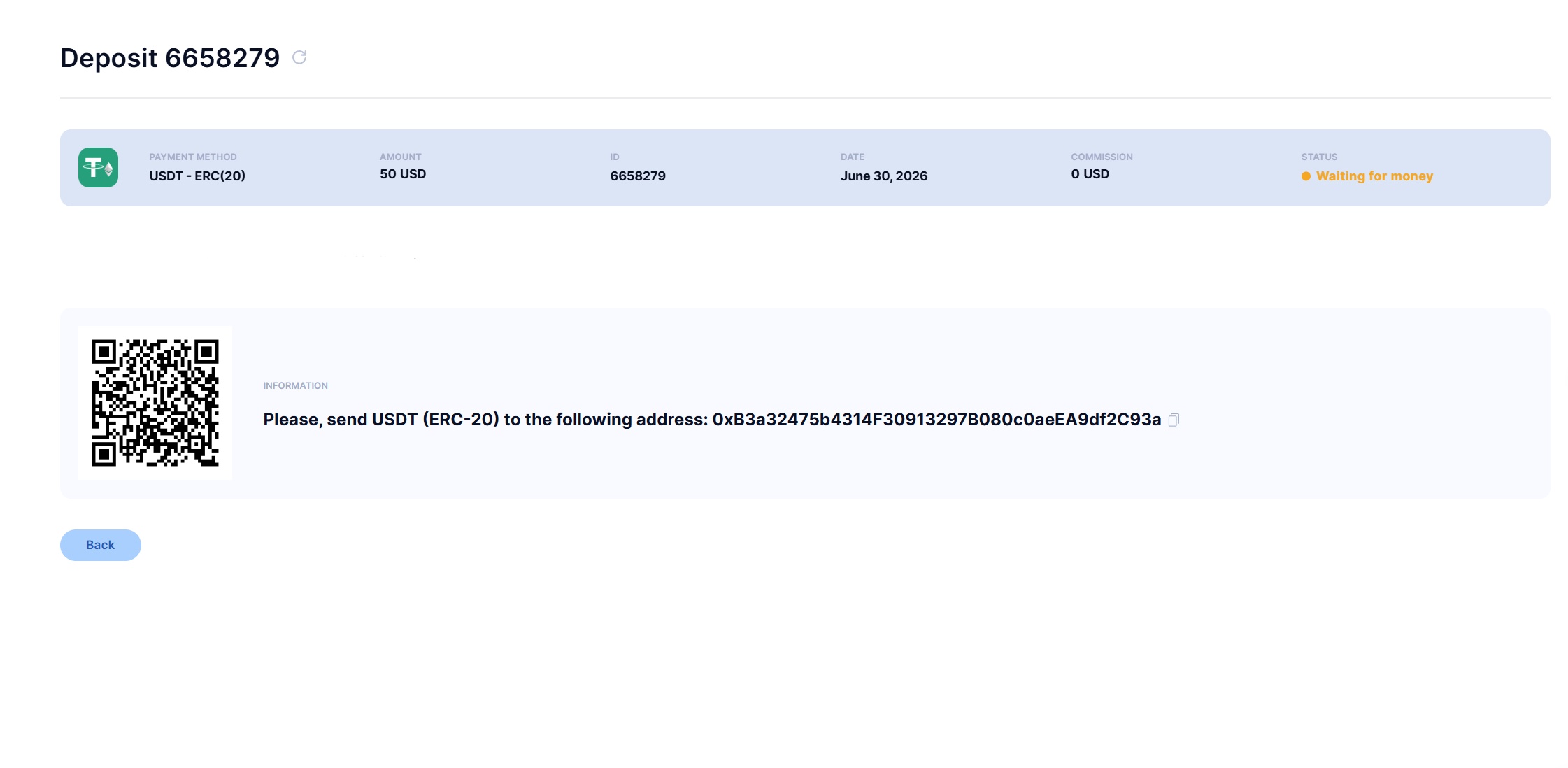
The minted address + QR, shown natively, awaiting payment.
user → { walletId, address } and reuse it for that user. The wallet you just minted now appears in CryptoNow under Client wallets at $0.00 — it didn’t exist before the customer confirmed:
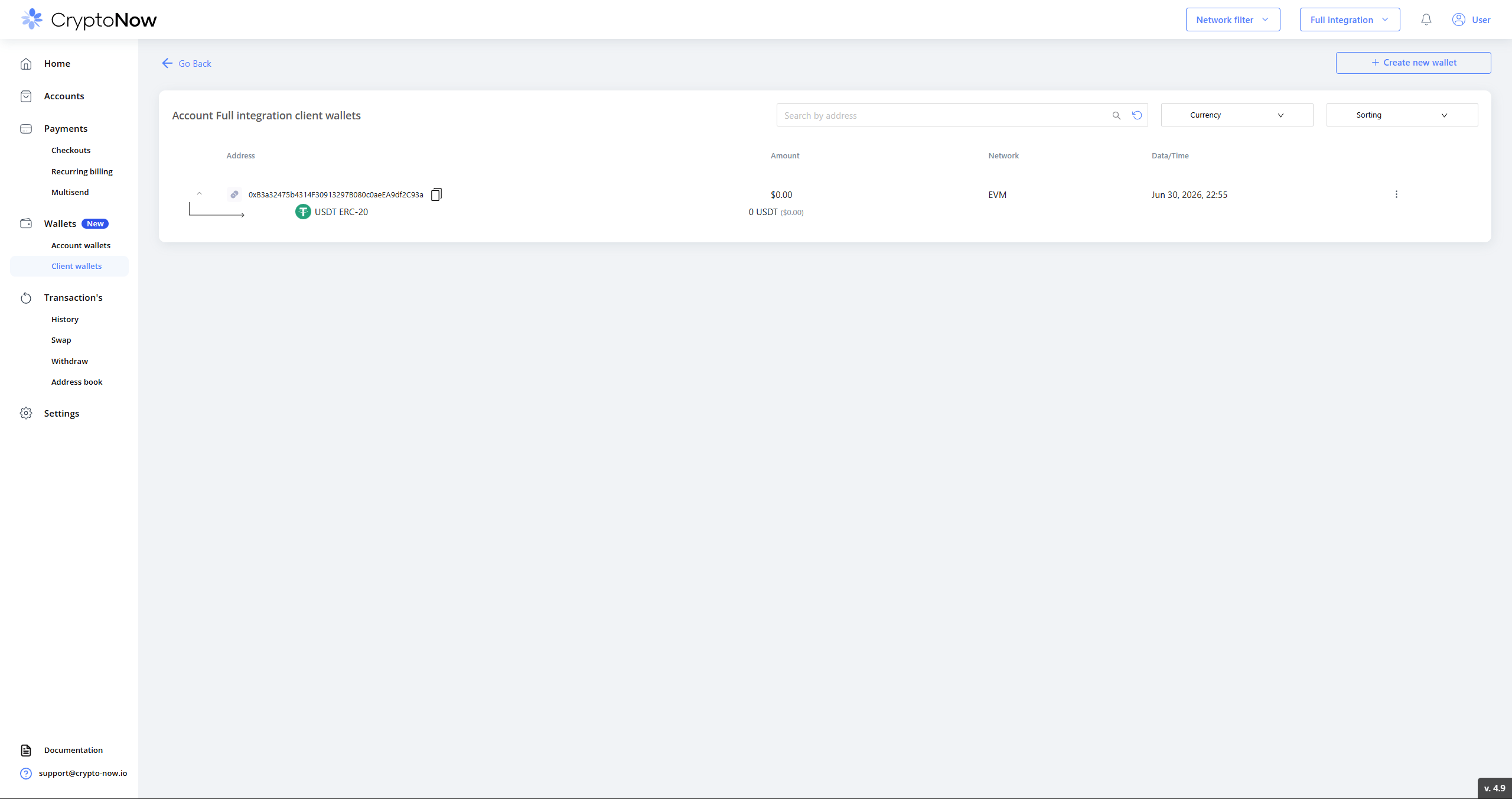
The wallet now exists in CryptoNow — created by the Confirm above.
4. Repeat deposits reuse the same address
Because you stored and reuse the wallet, a returning customer gets the same address. Below, a second, separate deposit (different deposit ID) resolves to the identical address — so a customer who re-uses an old address is still credited.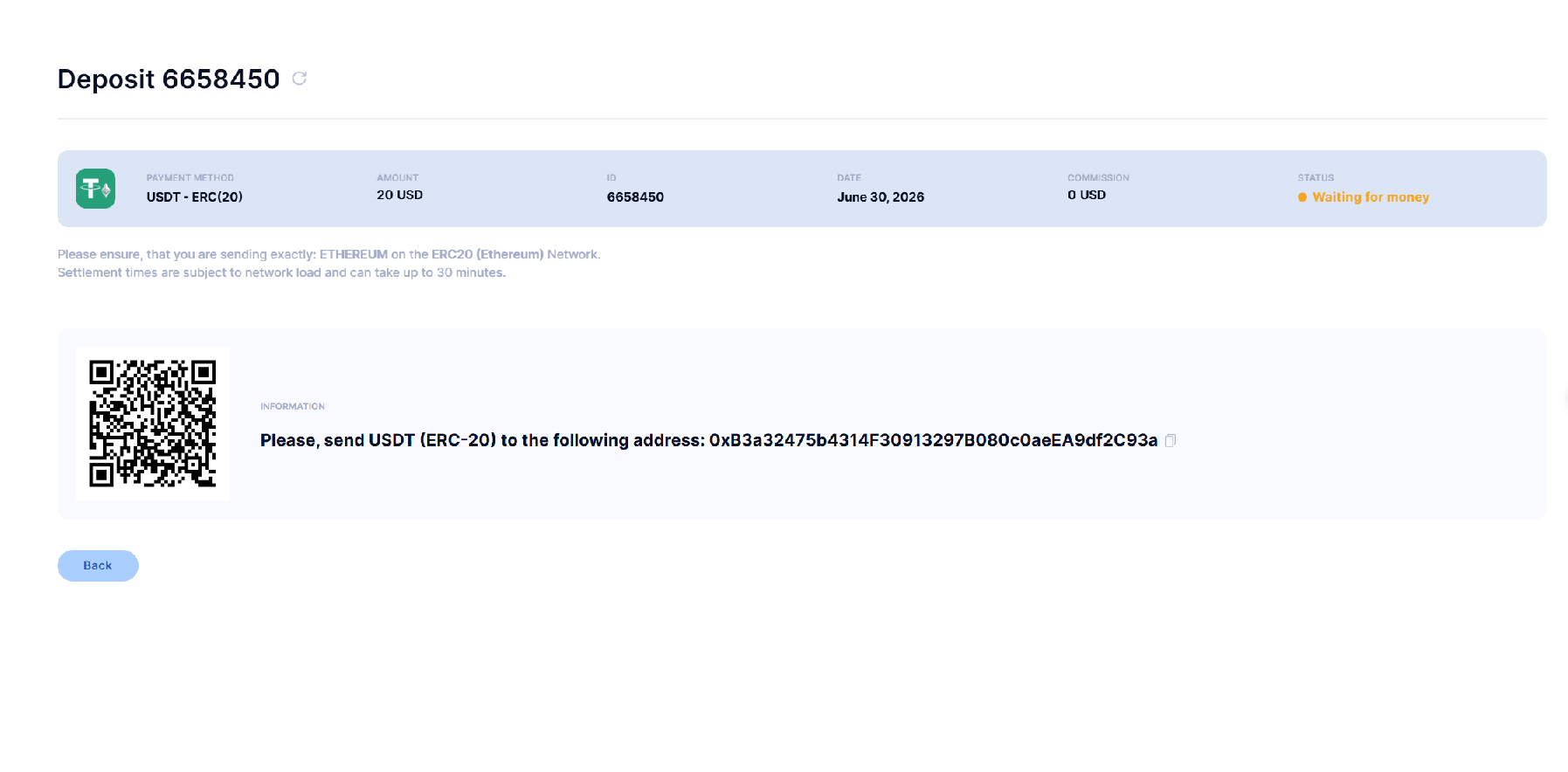
A later deposit (new ID) → the same address.
5. The customer pays
Once the payment lands, your platform shows it as deposited:
Deposit confirmed in-platform.
6. Receive the callback
CryptoNow fires a callback to your URL on each client-wallet replenishment. The body is encrypted; the JWT carries thewalletId and an encrypted salt, so the decrypt is self-contained (decrypt code for Node / PHP / Python is in the API docs). Decrypted, it carries the transaction details you use to credit the user.
InitialReplenishmentDetect then a Replenishment, both delivered (Status True):
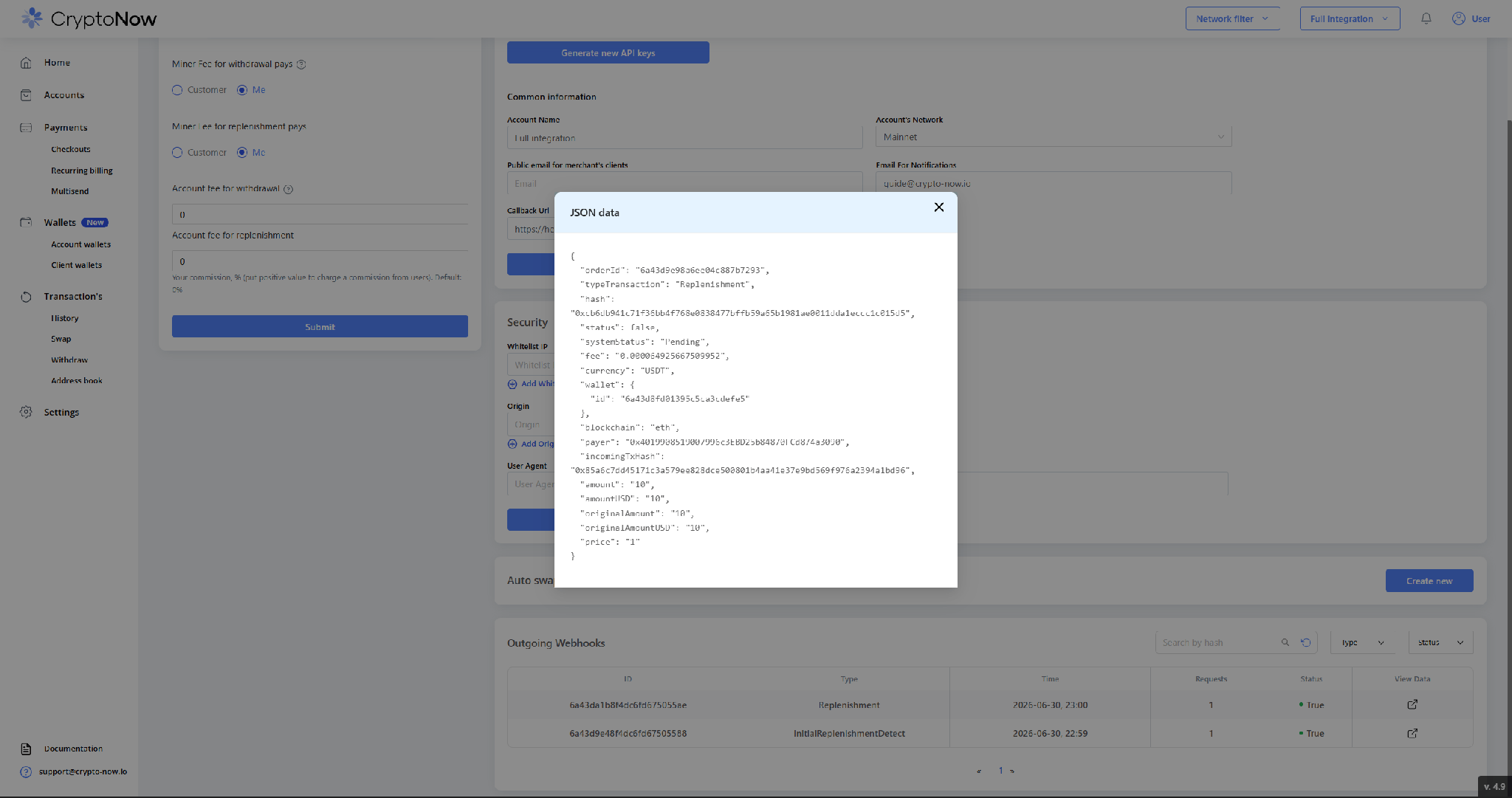
Webhooks delivered, with the decrypted payload.
clickId when creating the charge/wallet, it comes back as outsideOrderId — use it to map the payment to your order/user.7. Settlement: throughput vs. actual balance
The client wallet doesn’t hold funds — it sweeps everything to your account wallet — so the figure it shows is cumulative throughput, not a live balance. Here it reads 10 USDT (the amount that passed through):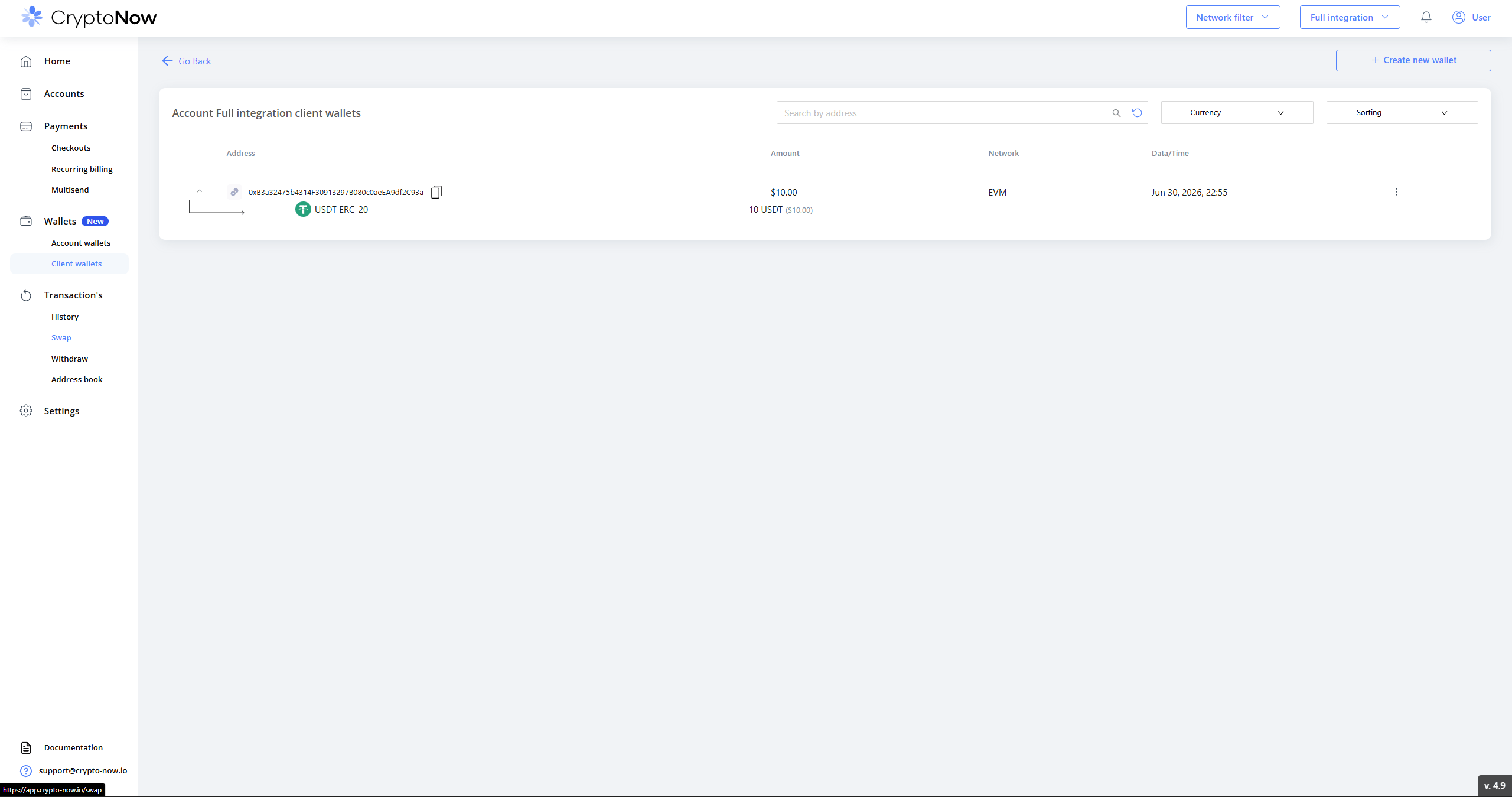
Client wallet — 10 USDT throughput (not a current balance).
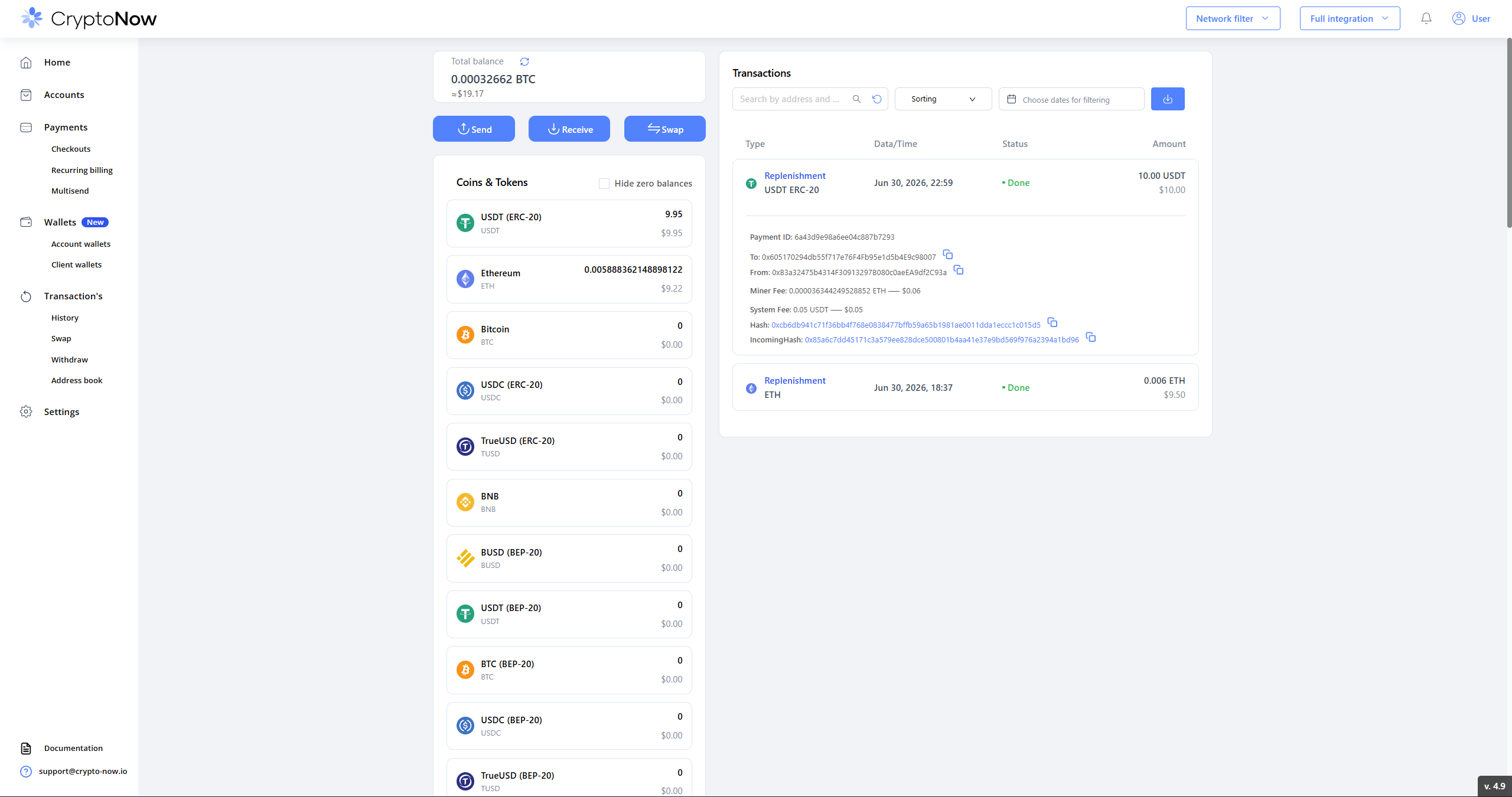
Account wallet — 9.95 USDT actual, after the 0.5% replenishment fee and sweep.