When someone sends an unsupported token to one of your client wallets, you can still get it out — by exporting that wallet’s private key and moving the token from an external wallet you control.
CryptoNow automatically credits and sweeps the tokens it supports. If a client sends a token CryptoNow doesn’t recognise (an obscure ERC-20, an LP token, the wrong network’s asset) to one of your static client wallets, it won’t auto-credit — it simply sits at that address on-chain, untouched.Because you hold the keys to every wallet, nothing is lost. You export the client wallet’s private key, import it into any self-custody wallet, and send the token wherever you want.
Exporting a private key gives full control of that wallet to anyone who holds it. Treat this as a break-glass recovery: do it deliberately, never paste the key anywhere untrusted, and consider the wallet’s key “spent” afterwards.
The wallet needs native gas to send the token out. A client wallet usually keeps a little ETH/BNB/etc. from earlier sweeps. If it’s empty, send a small amount of the network’s native coin to the wallet address first.
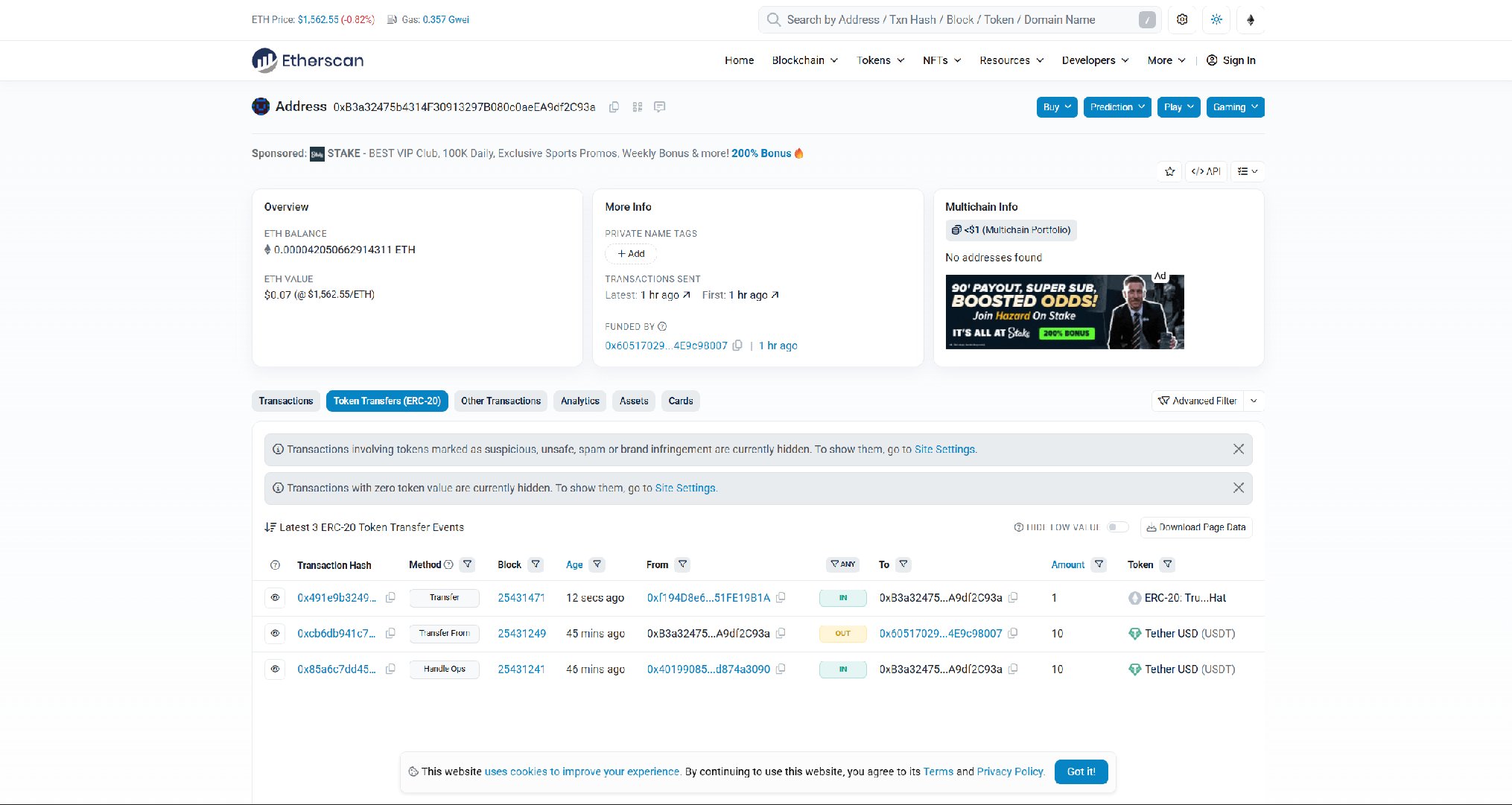
Paste the client wallet address into a block explorer (Etherscan for EVM). You’ll see the incoming token transfer that never got swept.
The unrecognised token sitting in the client wallet — received, but never swept to the account wallet.
2
Export the client wallet's private key
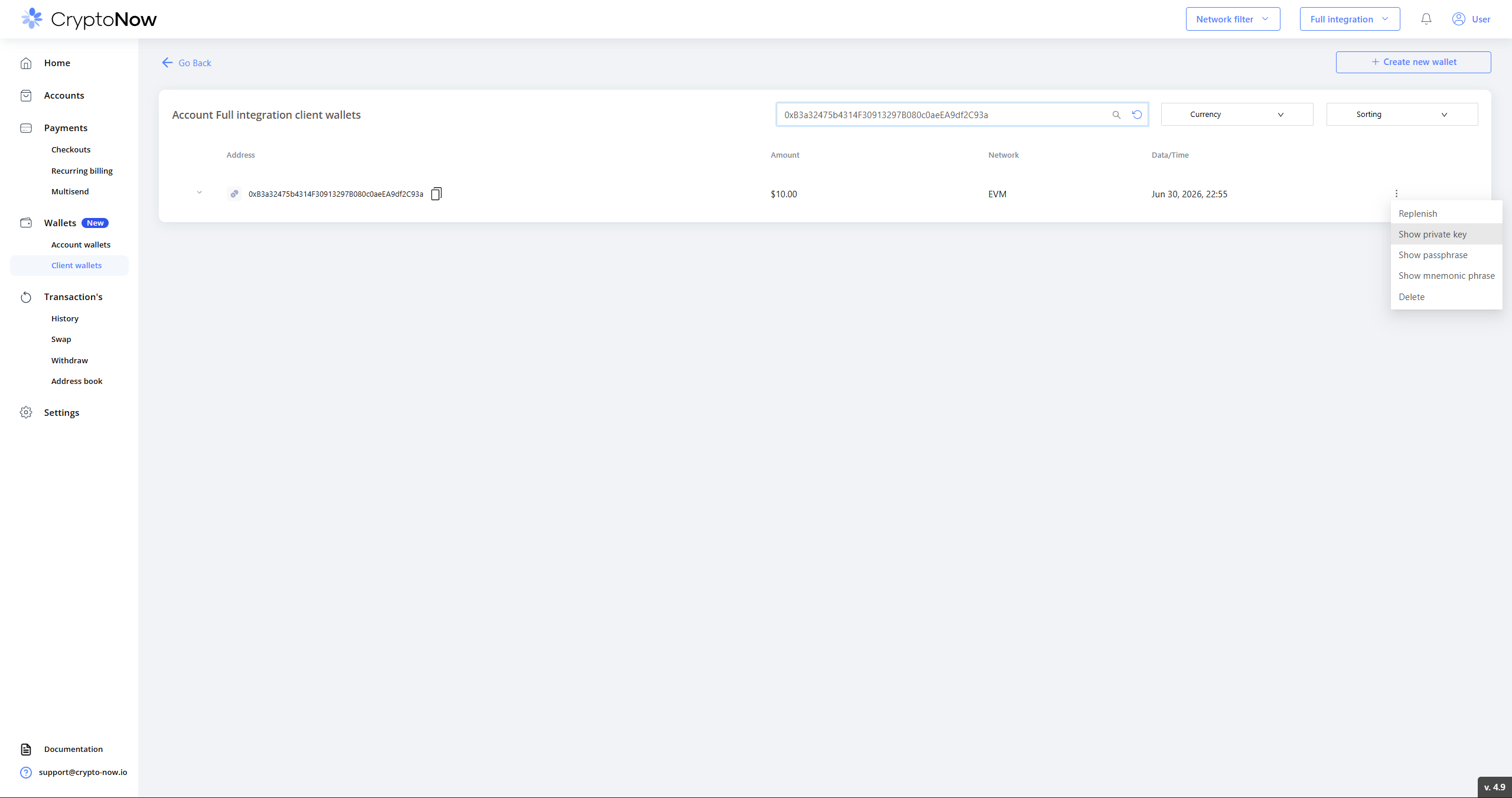
In CryptoNow, go to Wallets → Client wallets, search for the wallet by address, open the ⋮ menu and choose Show private key.
Wallets → Client wallets → ⋮ → Show private key.
3
Confirm with 2FA
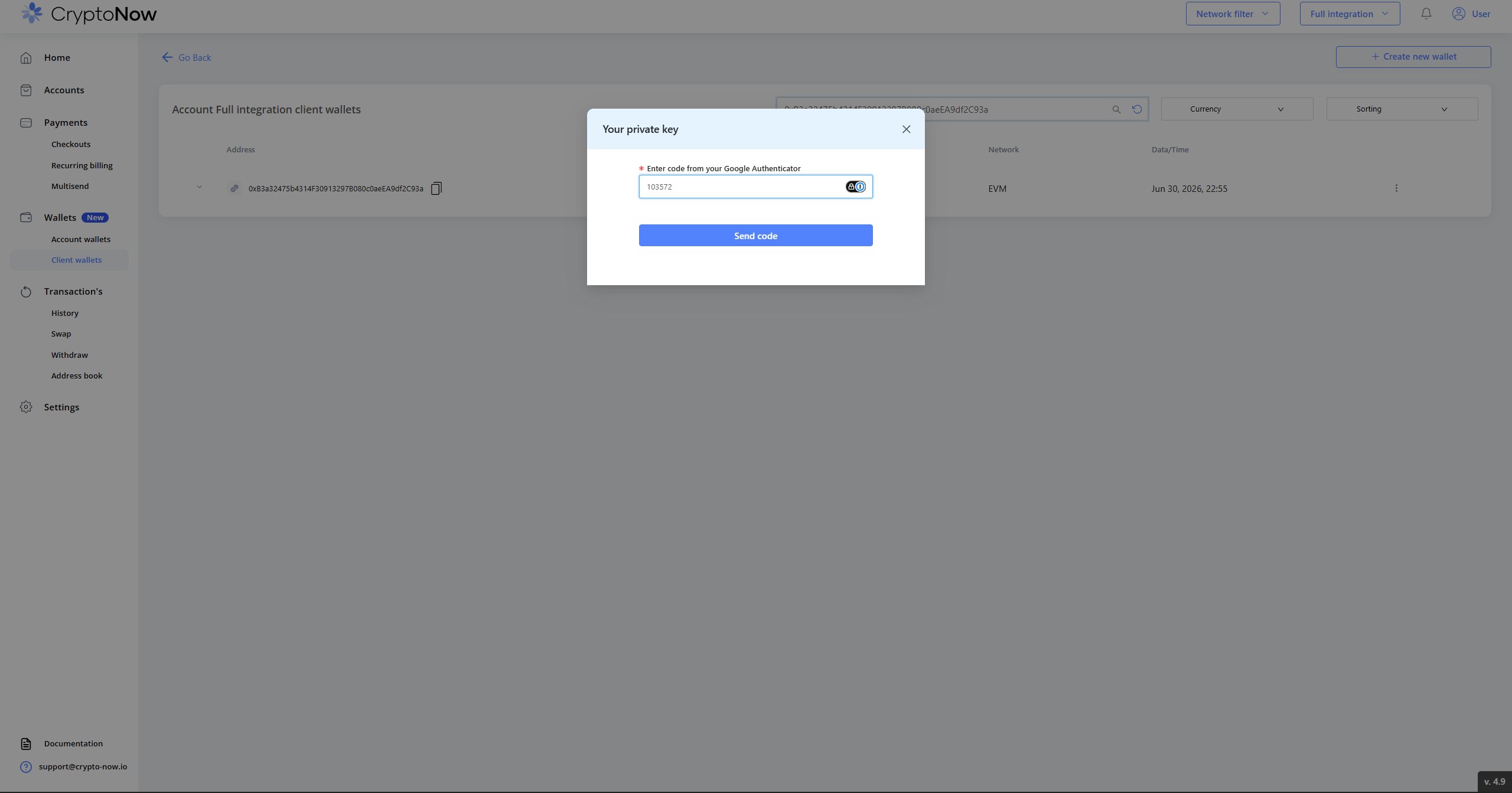
Enter the code from Google Authenticator and send it. (See Secure your account if 2FA isn’t set up.)
2FA gates the key reveal.
4
Copy the private key
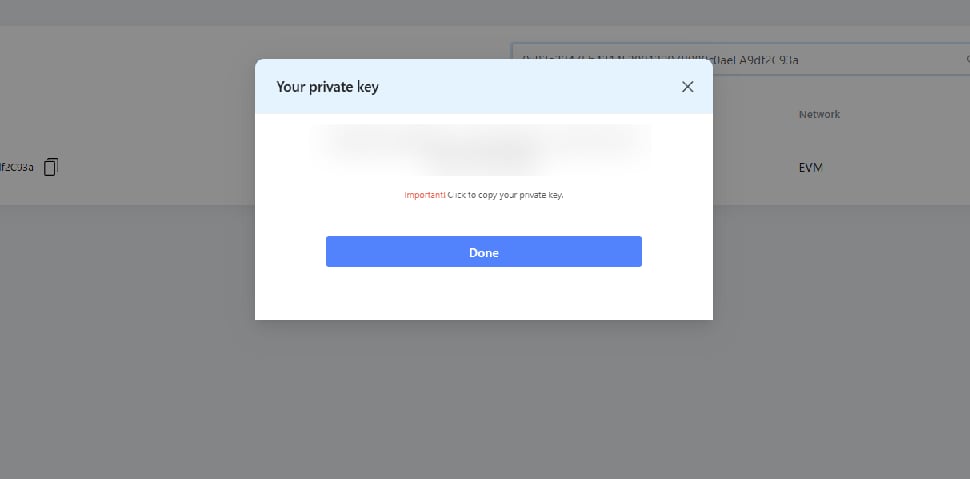
The key is shown once — copy it.
Copy the private key (blurred here).
5
Import it into an external wallet
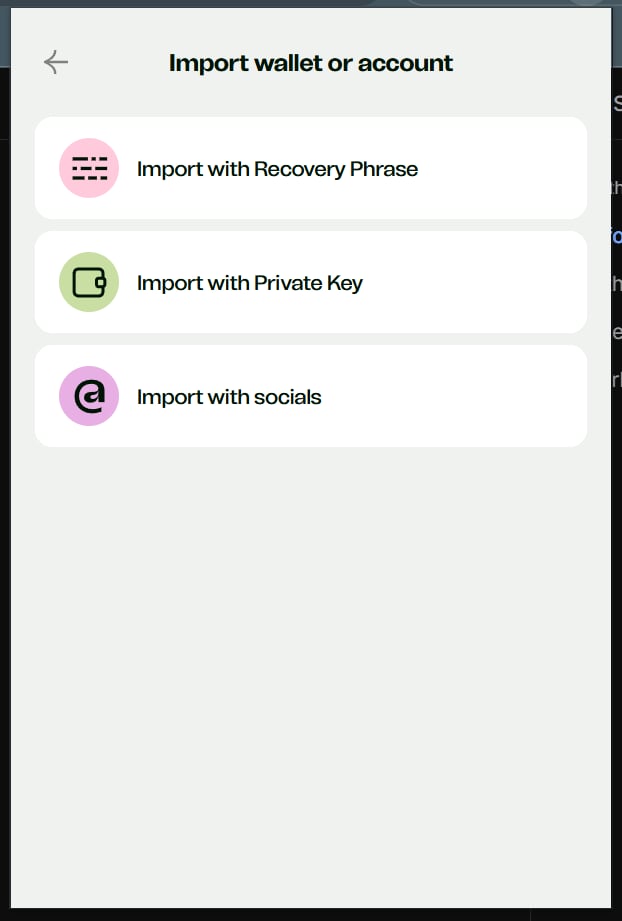
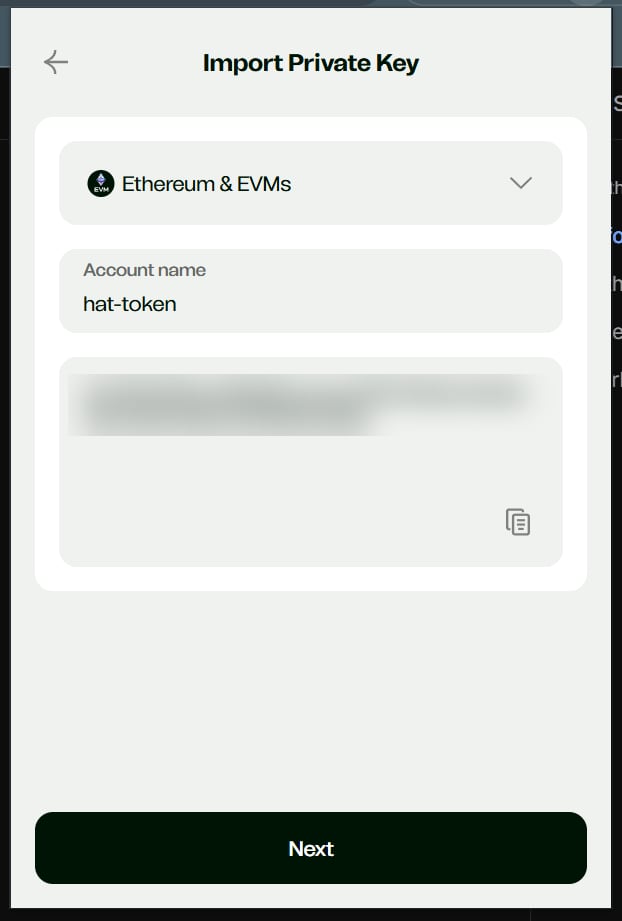
Open any self-custody EVM wallet — this example uses Ctrl Wallet; MetaMask, Phantom, etc. work too, depending on the token’s network. Choose Add → Import wallet or account → Import with Private Key, pick the network, paste the key, and give it a name.
Import with Private Key.
Paste the exported key (blurred), select the network, name the account.
6
The token appears
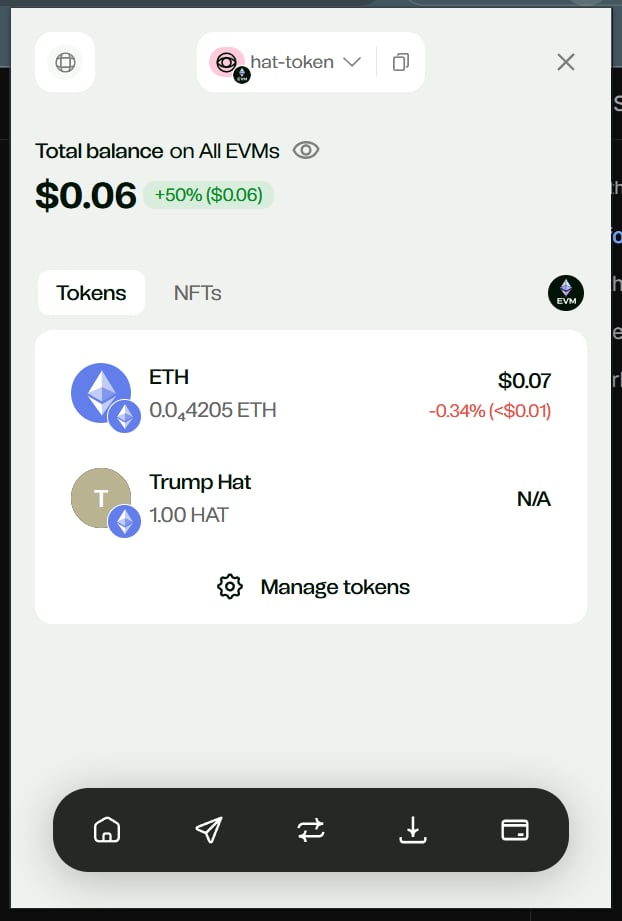
The imported wallet now shows the stuck token alongside any leftover native gas.
The wrongly-sent token is now accessible, with a little ETH on hand for gas.
7
Send it where it belongs
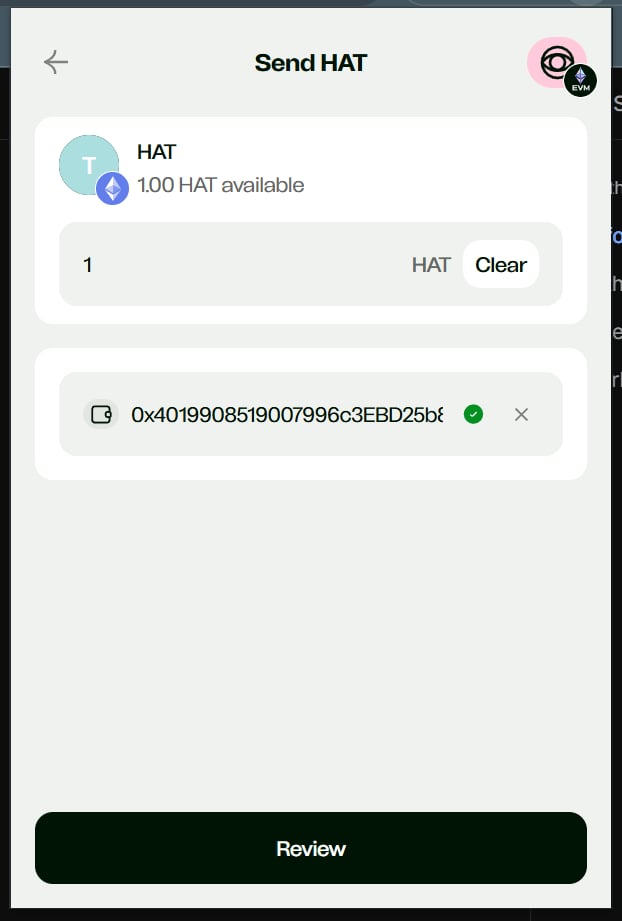
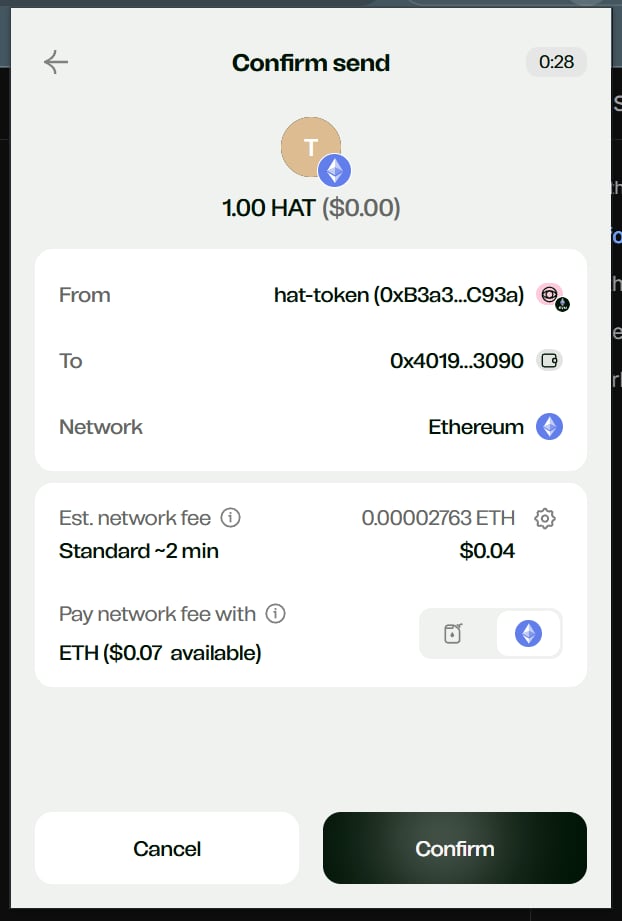
Send the token out — to the client’s correct wallet, to your account wallet, or to an exchange. The network fee is paid from the native coin on the wallet.
Send the token to the destination of your choice.
Confirm — gas is paid in the wallet's native coin.
CryptoNow sweeps supported assets to your account wallets automatically. Anything outside that set — an LP token, a one-off ERC-20, a token sent on a network the wallet wasn’t created for — lands at the address but isn’t tracked. The static client wallet is a real on-chain wallet you control, so the funds are always reachable with its key; this recovery is simply how you reach them.
Send the token to whichever wallet you want it in — typically the client’s correct address or your own account wallet — and the recovery is complete.